A number of error or info messages may appear in some situations. Here are the main ones.
The routing does not start
“The last boat position received from VR is more than 10 minutes old. Please, wait for a position refresh before making a routing calculation.”

This message is usually the result of a clock offset between eSail4VR and Virtual Regatta. Set the time on your device to “automatic”.
“Routing impossible as it starts after the end of the weather forecast”

For some unknown reason the most recent weather did not load. Force the download with Settings > Display > “Reload weather forecast” before routing again.
“The routing failed as your boat is grounded. Please refloat your boat in VR and then come back to eSail4VR”

Refloat your boat manually in Virtual Regatta before routing again.
“The routing failed as your boat is too close to shore. Please move your boat in VR away from shore and then come back to eSail4VR”, followed, when the option is on, by “or uncheck the anti-grounding safety pixel in the eSail4VR settings.”
“The boat data from VR is not available yet. Please wait for it to load and try again.” and “The boat polar is not available yet. Please wait for it to load and try again.”: wait a few moments until VR has sent these data.
The target is a problem
- “The routing target is on land. Please move your routing target at sea.”
- “The routing target is too close to land. Please move your routing target away from land”, with, when the option is on, “or uncheck the anti-grounding safety pixel in the eSail4VR settings.”
- “The routing target is inside a zone to avoid. Please move the target out of it, or move or switch off the zone.”
- “The routing target is too close to the boat (less than one isochrone step, N min). Please move the target farther away.”
The color of the target warns you beforehand: see “Scrolling the chart under target, its color is sometime modified, why?”.
The routing stops before the target (partial routing)
“The routing stopped at its maximum duration (N d) without reaching the target. You can increase it in the Routing menu.”
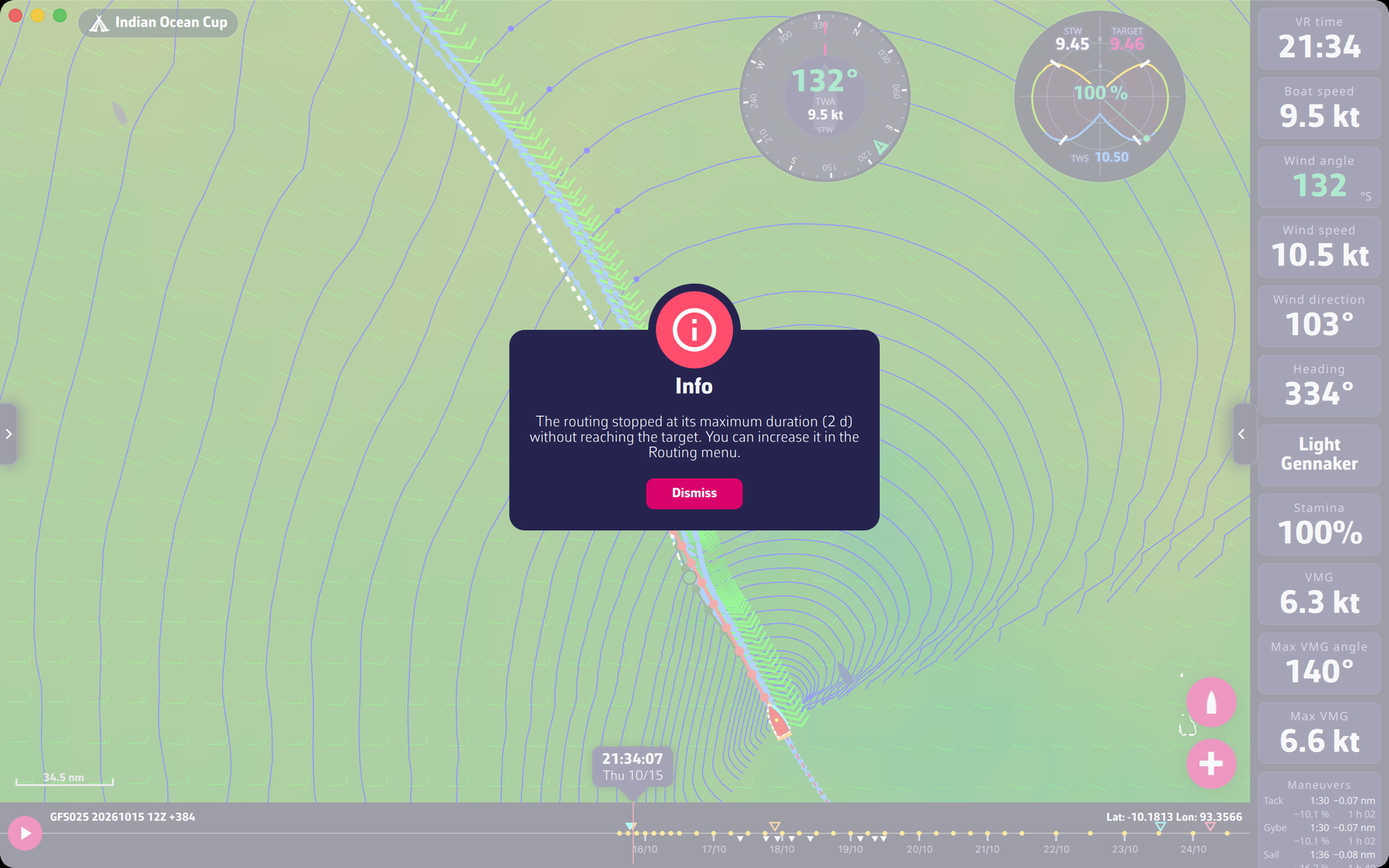
eSail4VR offers routing for up to 15 days, based on the 16-day GFS weather model. If your target is not reachable within the chosen duration, the routing stops before reaching your destination. This is called partial routing. With Expert mode, the duration is set in Settings > Routing > “Max duration” (1 to 15 days).
“The routing stopped at the end of the weather forecast without reaching the target.”

The routing stops before reaching your target because it is too far away for the duration of the forecast. This is called partial routing. Get closer to your target.
“The routing stopped because the boat no longer gets closer to the target. The route shown goes as far as it could.”

At the end of the calculation on a long routing, the isochrones are too far apart to deploy correctly. Place a pivot point to refine the end of the route with tighter isochrones.
“The routing is stuck at mark N of the course, too close to the coast. Turn off “Follow the course”, add a target and route to the target.”: this message concerns the “Follow the course” option of the “Routing to target” window (Expert mode).
The routing finds no route
“The routing stopped because no isochrone could be calculated. Please try again, and contact us if it happens again.”

At some step of the calculation, no reachable point could be found to produce the next isochrone (an isochrone is the line of points reachable at the same instant). Try moving the target or reloading the weather (Settings > Display > “Reload weather forecast”), or wait for a new boat position. If the message comes back, contact us.
“The routing could not reach the target: no valid path is left. The boat may be enclosed by land, ice limits or exclusion zones.” If your boat has entered an exclusion zone (AEZ, TSS, etc.), routing cannot be calculated: leave this zone manually in Virtual Regatta.
Warnings when sending the orders
- “Zones are not avoided: the option “Avoid VR and own zones” is unchecked in the Routing menu.”
- “You have unchecked the anti-grounding safety pixel option. A point in the routing path is within this one pixel from land.” Even if you send orders as waypoints, there is no guarantee that your boat will not run aground.
- “Sending is blocked: a leg (WP1-WP2) crosses land, ice or an exclusion zone” (in the “Edit your orders” window). Change the route or the order type before sending.
- “The race organiser has restricted sending orders from eSail4VR for this race.”
To go further: Troubleshooting and Routing.