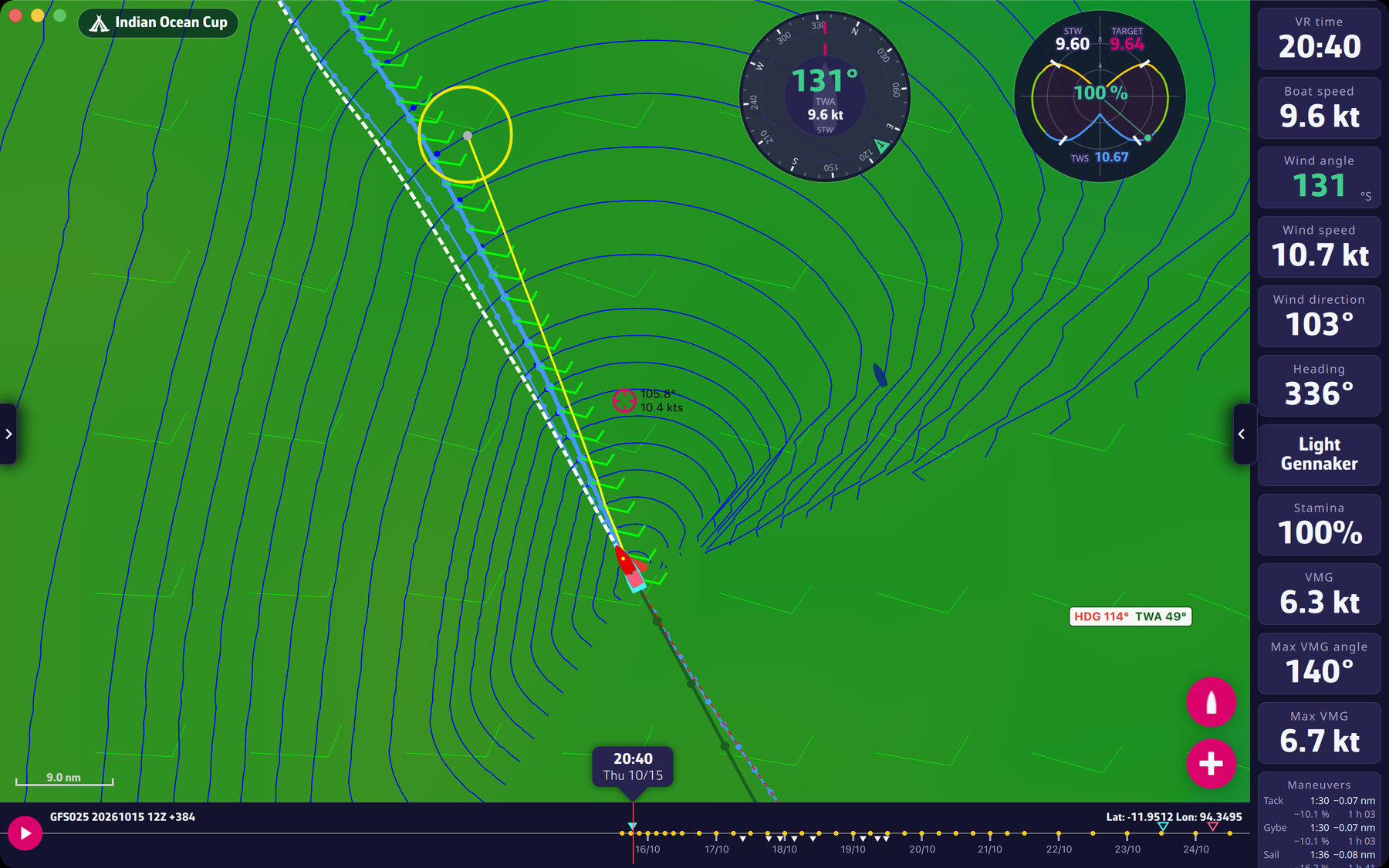
Start by selecting a routing in the Routings tab of the left pane. The blue isochrone lines should be displayed. If they are not, turn on “Expert mode” in Settings > Routing (reserved for Premium subscribers).
- On a touch device, like a phone or tablet: when the screen center is on an isochrone point, you will see a yellow line from the boat to the center of the screen. The picked pivot point will be this point at the center of the screen. Tap the red “+” button, choose your target in the “Routing to target” window and tap “Routing”.
- On a device with a mouse, like a PC or a Mac: when the mouse is on an isochrone point, you will see a yellow line from the boat towards the mouse. The picked pivot point will be this point under the pointer. Right-click, choose your target and press “Routing”.
Right-click requires a valid subscription.
To go further: Routing and Expert mode.