The weather briefing
BeginnerThe essentials
The Weather briefing page gives, for each race followed, a text on the general situation and on the wind phase by phase, with the points specific to the game: maneuvers to program, energy, foils, a polar degraded in strong wind.
You find:
- one card per race, to choose at the top of the page;
- two versions of the same briefing: “Beginners”, which explains the terms, and “Experts”, denser, which adds the isobaric charts;
- “The route, its maneuvers and the wind met”: the image of the calculated route;
- for experts, “Isobaric charts and game wind”.
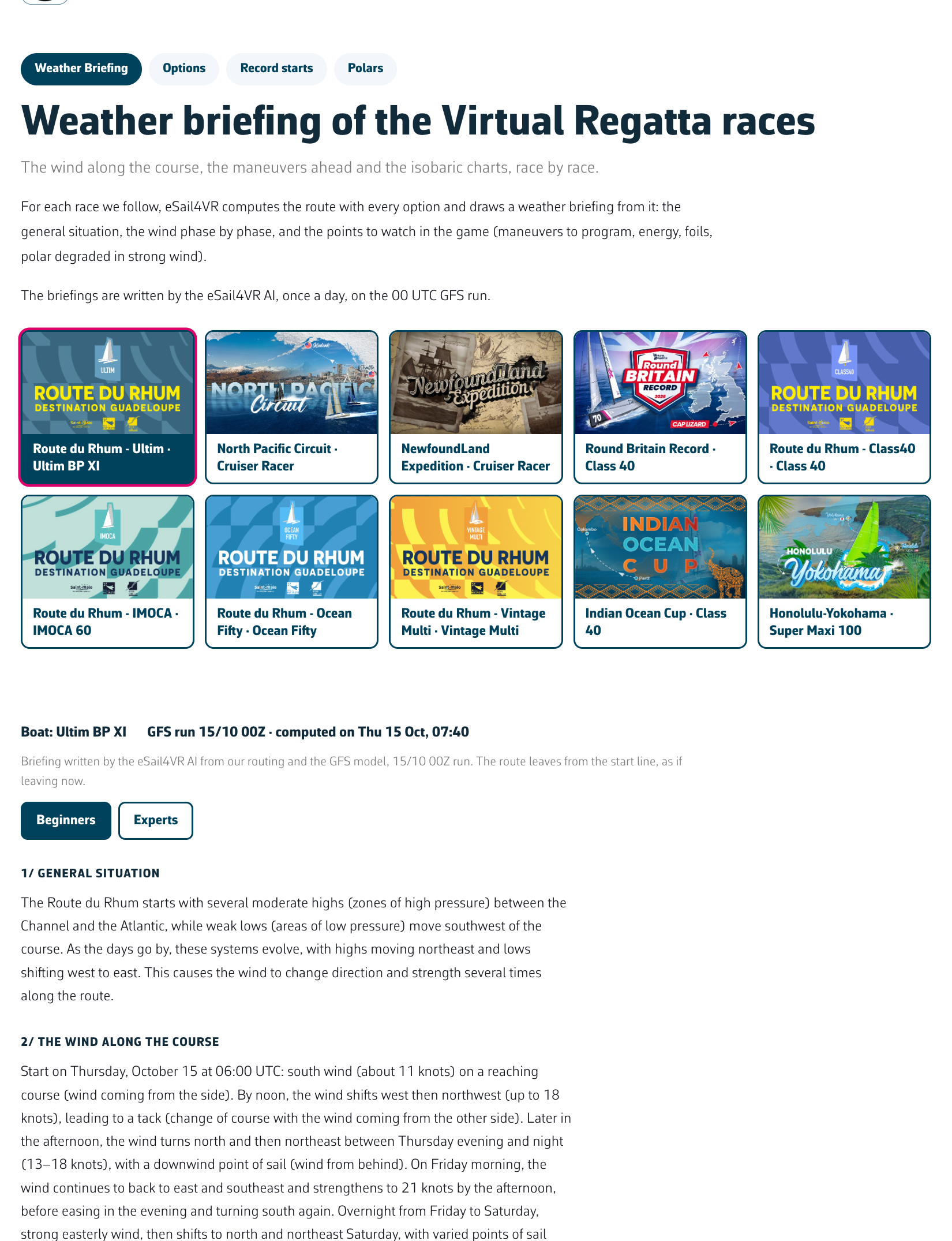 The Weather briefing page of a race
Going further
- Where the route comes from. It is a full routing by the eSail4VR engine with every option. For a record, the start is taken now. For a race not started yet, the route leaves at the real start of the race as soon as the forecast covers it (the latest GFS run must reach at least one day past the start); before that, it leaves now. For a race under way, the route leaves from the position of Virtual Regatta’s frigate, the average boat of the fleet: it is not your position.
- Who writes it. The text is written by the eSail4VR AI from this route, the game wind and the highs and lows of the GFS model. It has only this data: read it as a briefing, not as a certainty.
- The isobaric charts. An isobar is a line of equal pressure. The chart shows the GFS pressure (one isobar every 4 hPa, the highs and lows marked on the chart), the game wind as barbs, the route sailed and the boat position, every 24 hours up to the finish.
- One briefing a day. They are written after the 00 UTC GFS run. Before that the page shows “No briefing yet: they are written every day after the 00 UTC GFS run.”
- Wind only. Virtual Regatta only simulates the wind: the briefing says nothing about the sea, gusts or rain.