“Follow the course” and hidden gates
ExpertThe essentials
In a race with marks or gates, the course is a series of compulsory passages up to the finish. By default, eSail4VR calculates a routing from the boat to the target, wherever the boat can sail, without regard for those passages. The “Follow the course” switch changes that: the routing then goes through the marks and gates still to cross, in order, up to the finish.
It sits at the top of the “Routing to target” window (the one the red “+” button opens), and only appears if:
- Expert mode is on with a valid subscription;
- the routing is for your boat (not a competitor’s);
- the race has a defined finish.
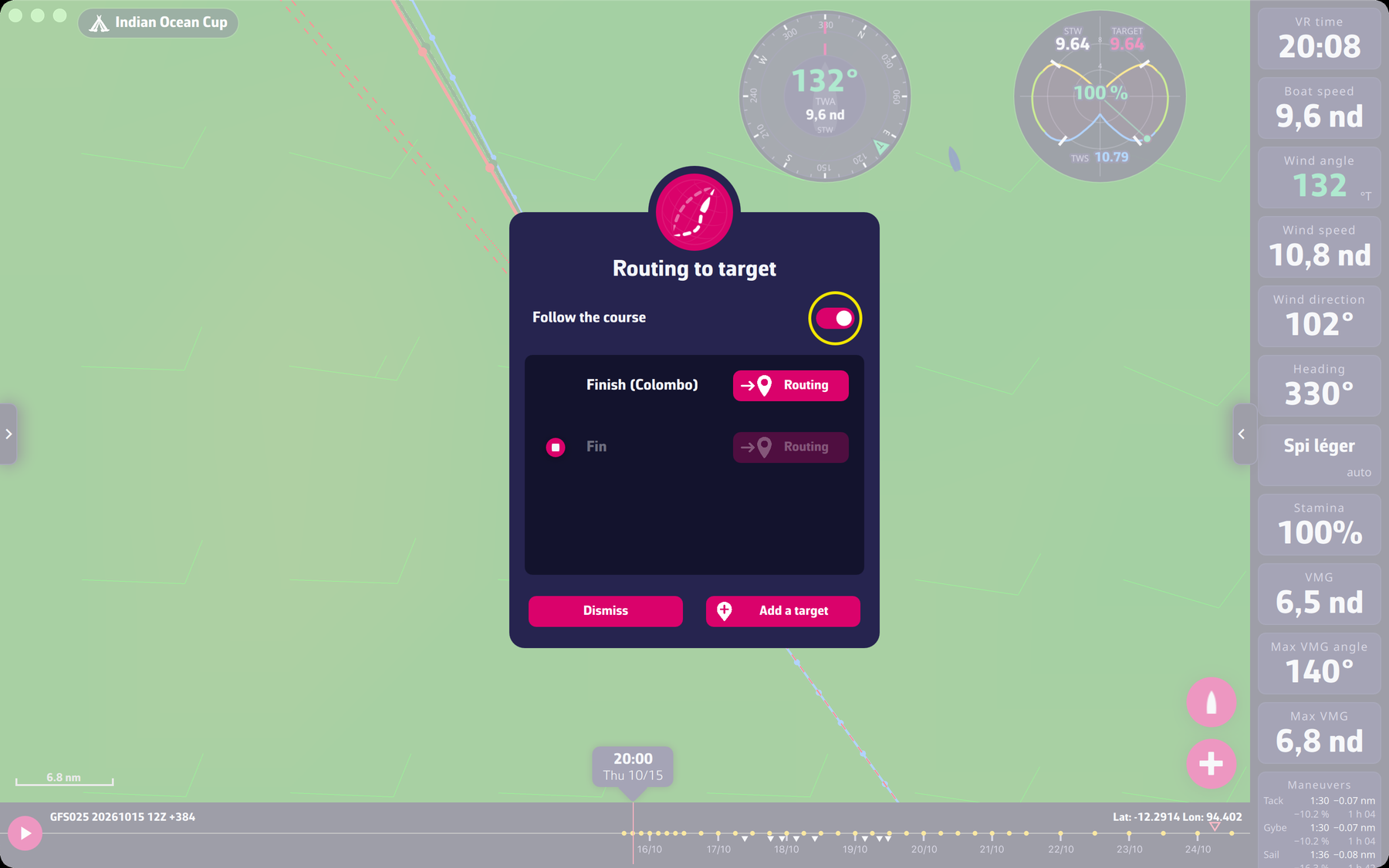 The “Routing to target” window with the “Follow the course” switch
With the switch on, the list of targets starts with “Finish”, and that is the only target on which the “Routing” button is active: the routing goes to the finish through the marks. Off (the default choice, remembered from one time to the next), the routing goes straight to the chosen target.
Going further
The marks taken into account. The app reads the passages of the course in VR’s data: each gate runs from a buoy to a far point, and is crossed between the two, the right way. The calculation proceeds in stages: one per mark, each starting where the previous stage touched the mark. A routing that ends on a gate (a line finish) stops where the route crosses it. Gates the boat has already passed are not taken again.
Hidden gates are ignored. Some groups of gates are never shown to the player: hidden, unnamed gates that the game counts only for its ranking, with no buoy or gate drawn. Nothing forces a boat to pass them. The routing therefore ignores them, rather than imposing a passage you cannot see. A hidden gate with a buoy drawn, or one that carries a ranking name, is still taken into account: the buoy imposes it. If a race seems to have gates of which nothing can be seen, this is what it is about.
A routing stuck at a mark. If a mark is so close to the coast that the routing cannot cross it, it stops with: “The routing is stuck at mark N of the course, too close to the coast. Turn off “Follow the course”, add a target and route to the target.”
Competitor routing. The course is never followed for a boat other than yours: its position in your boat’s state does not say which gates it has crossed.
Pivot routing. For a pivot routing, the gates the initial routing had already crossed before the pivot are not taken again.
The target must be the finish. The course is only read if the target is (within about 3 miles, or the finish radius if that is larger) the finish of the leg; with a target of your own, the calculation does not know which marks lie on the way.