Installing eSail4VR
BeginnerThe essentials
eSail4VR is available for four systems: iOS (iPhone, iPad), Android, macOS and Windows. The download link for each system is on the Download the app page.
Minimum versions supported by the app:
| System | Minimum version |
|---|---|
| iOS | 16.0 |
| Android | 9 (API 28) |
| macOS | 13 (Ventura) |
| Windows | Windows 10, version 1809 (build 10.0.17763) |
These are technical requirements: they do not guarantee that the app will run smoothly on an old device, with little memory or a weak graphics chip.
At first launch, the app asks permission to download two sets of data:
- the coastline: “The application needs to download the coastline (file size: N MB). Do you allow this download?”;
- the weather for your race: “The application needs to download the weather data for your routing (file size: N MB). Do you allow this download?”.
Answer “Ok” to continue. The “Exit” button closes the app: without this data it cannot calculate a routing.
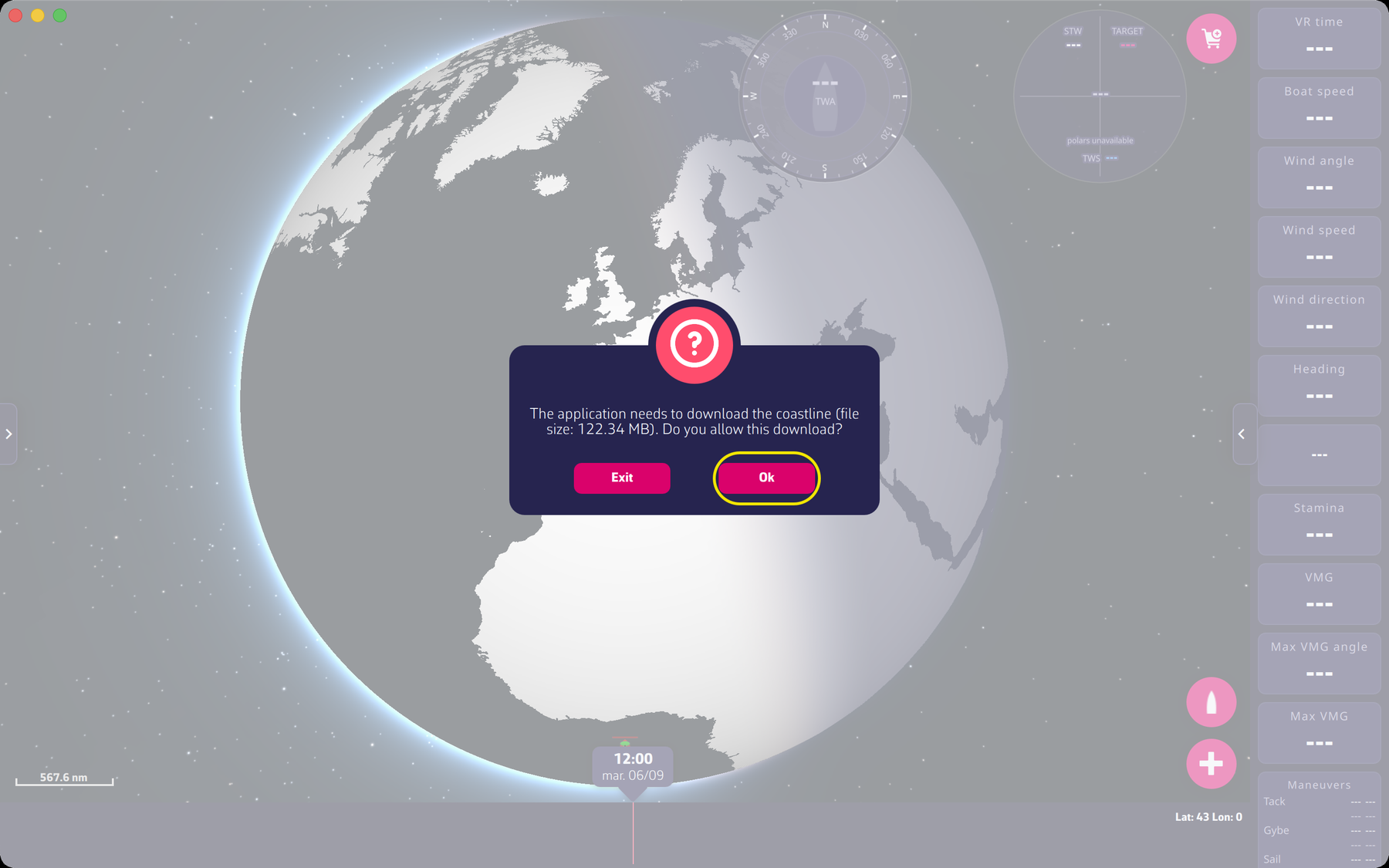 Coastline download request at first launch
Going further
Updates. At startup the app compares its version with the latest version published for your system. If a newer one exists it shows “A new version is available. Would you like to update?” and, if you accept, opens the download page of the website. You can read your version in the settings panel: “About”, then “Version N”. “View version history” on the same page lists the changes.
Minimum versions in detail.
- iOS: iOS 16 at least (iPhone and iPad).
- macOS: macOS 13 (Ventura) at least, for Apple silicon Macs as well as Intel Macs.
- Android: Android 9 (API level 28), arm64 processor.
- Windows: the installer requires Windows 10 build 10.0.17763 at least.
Uninstalling and troubleshooting. Uninstall procedures, updating through the Microsoft Store and cases where the app does not start are in the FAQ, under Installation.