Sending a manual order from the curves
ExpertThe essentials
The constant TWA and constant heading curves are read on the map (see Reading the curves). To turn one into an order you need the Manual mode of the order editor. It requires Expert mode and a valid Premium subscription, because that is what opens the editor. You also need a routing in the “Routings” tab, whose send button opens the editor.
- Open the editor with the routing’s send button, then choose “Manual” in “Order type”. The list empties.
- Choose the kind of order with the selector: “TWA” (constant wind angle) or “COG” (constant heading). The Space key switches from one to the other, then to “WPT” (waypoint).
- Move the pointer over the map. A line runs from the boat to the pointer, with a red label giving the order that would be placed, for example “TWA 95° starboard · arrival 14:32” or “heading 250° · arrival 14:32”. It is the same idea as the curves on the map, but for a single order.
- Click: the order is added to the list. The boat holds it until the clicked point, and the next leg starts from there.
- Repeat for each change of order. Backspace (or “Undo last point”) removes the last one.
- Press “Send”.
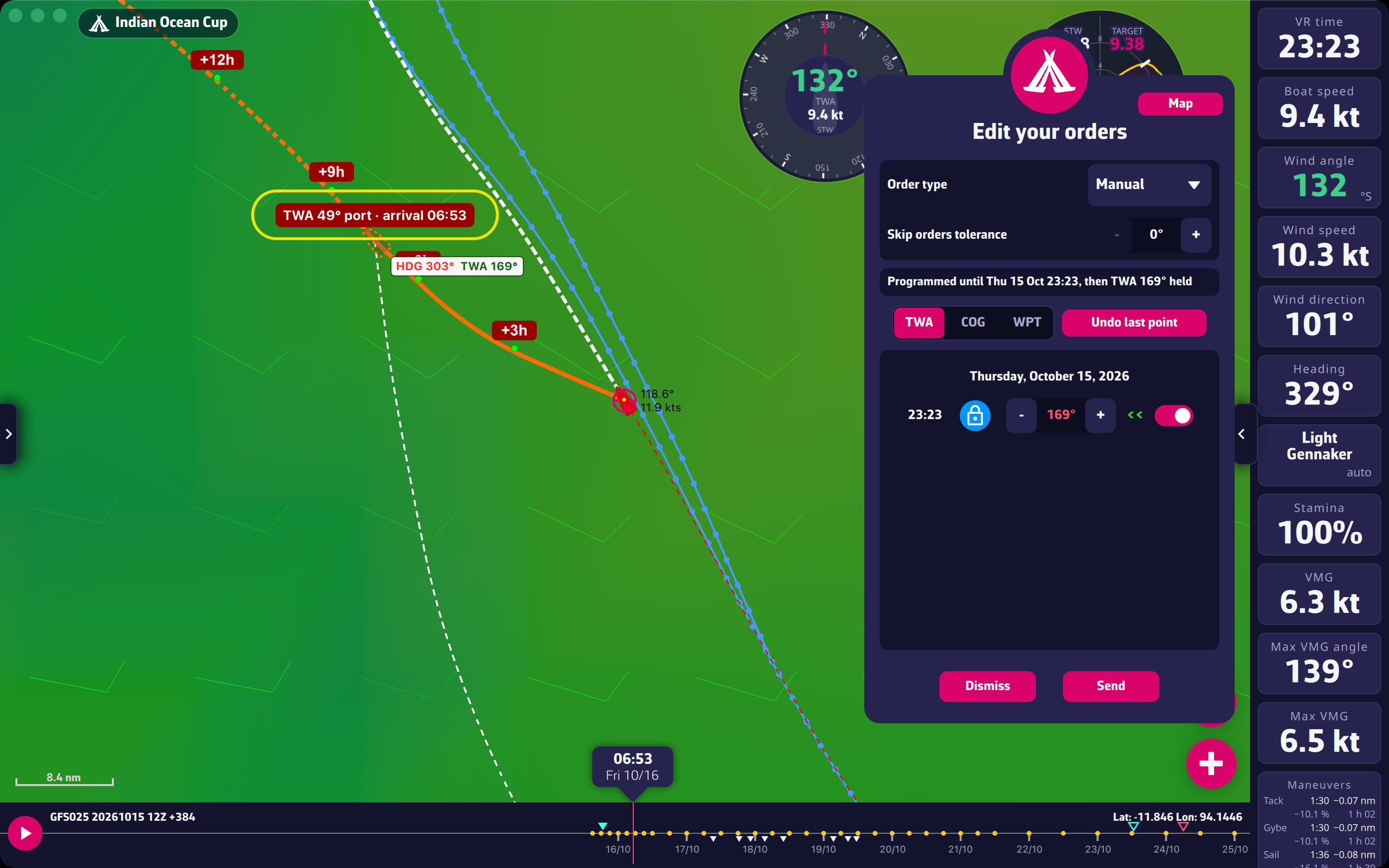 Manual mode while drawing
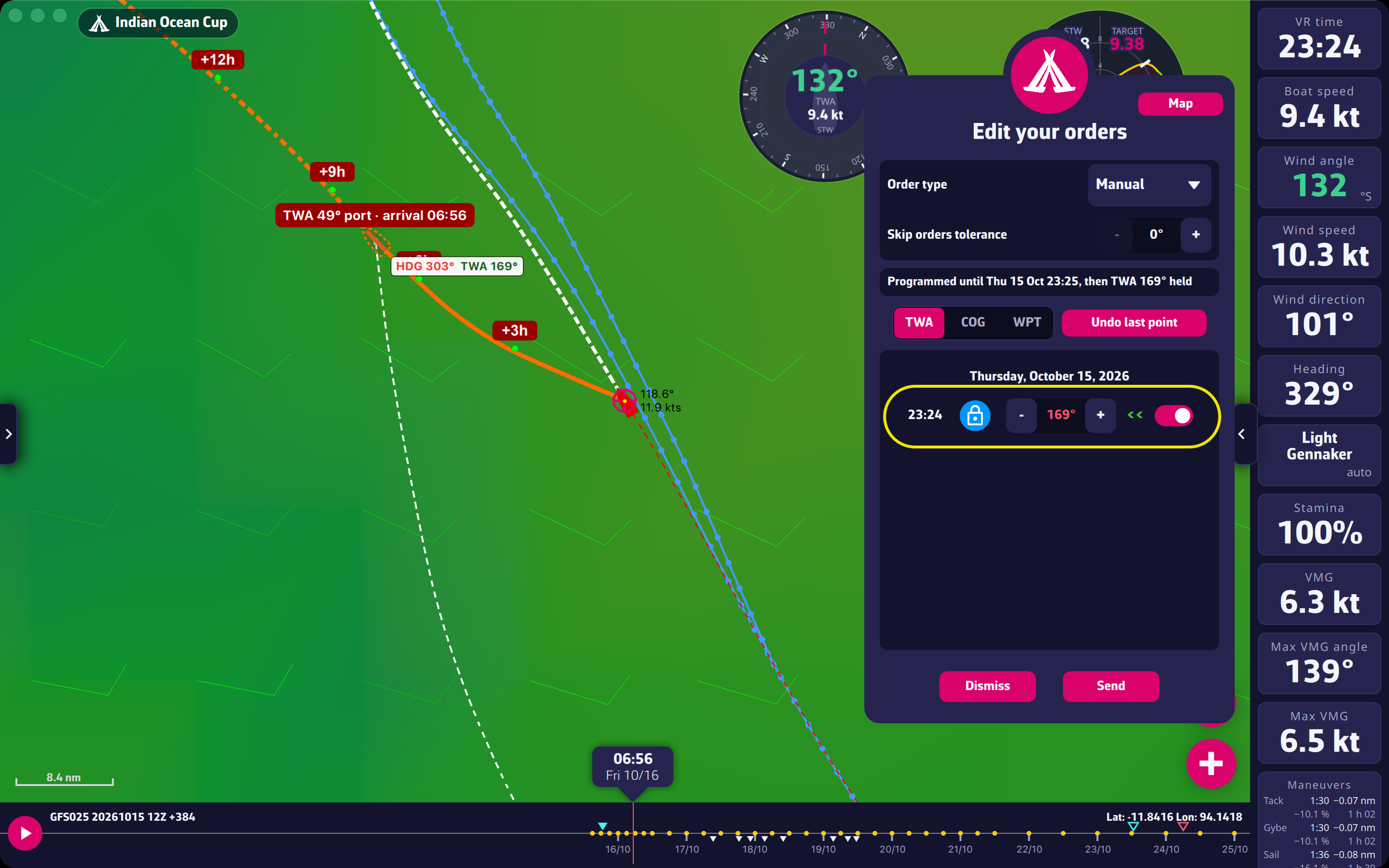 The order line created by the click
Going further
What the click sets.
- With “TWA”, the order is the TWA whose curve passes through the pointer, computed in the forecast winds. The boat keeps that TWA, and its heading follows the wind.
- With “COG”, the order is the heading of the straight line from the boat to the pointer, in whole degrees, as the game takes them.
- The click is only accepted once the leg is computed for the point aimed at. If nothing happens, wait a moment without moving, then click again.
Times. The order takes effect at the whole minute after the boat reaches the previous point (the next minute for the first one). The weather map moves to the arrival time at the pointer, showing the wind the boat will find there.
On a touch screen. There is no pointer: a cross appears at the center of the map and the “Add point” button places the point under the cross. Move the map under the cross, then tap.
Skip orders tolerance. On sending, an order whose angle differs from the previous one by the tolerance at most, on the same tack and of the same type, is skipped (see Skip tolerance). Keep the tolerance low if every placed order must leave as it is.
Zones and land. In “Manual”, the editor does not block the sending: it shows a warning, “Warning: a leg (…) crosses land, ice or an exclusion zone”, and the checking is up to you. Look at the line on the map, and zoom in near coasts and zones before sending (see Send checks).
Sending to Virtual Regatta. The “Send” button programs the orders on the game’s servers. The app shows “Orders received by VR.” followed by the route the boat will sail. The number of orders is limited (see Programming points). The game takes either orders or waypoints: switching from “TWA” or “COG” to “WPT” with points already placed removes them, after confirmation.
Choosing TWA or COG. The same guidelines as for the curves: “TWA” to stay at a given angle to the wind when it shifts; “COG” for a fixed direction, near coasts or when no wind change is forecast. A “TWA” order stays a wind angle: if the wind turns differently from the forecast, the heading changes with it. A “COG” order does not adapt to the wind.