The order editor
ExpertThe essentials
The order editor lets you see, change and choose what goes to VR before you send it. It opens with the send button of a routing, when Expert mode is on (Premium). Without Expert mode, the button sends the orders directly as type “Auto” after confirmation.
From top to bottom, the “Edit your orders” window contains:
- “Order type”: Auto, Wind, Compass, Waypoints or Manual (see Order types);
- “Skip orders tolerance”: from 0° to 5° (see The skip tolerance);
- a summary line describing what will go out: “Programmed until …, then TWA 120° held” or “Programmed until …, then heading 250° held”; in waypoints, “Last waypoint reached around …”;
- the list of rows: one per order or waypoint, with the time, the angle and the send switch (see Reading an order row);
- at the bottom, the “Dismiss” and “Send” buttons.
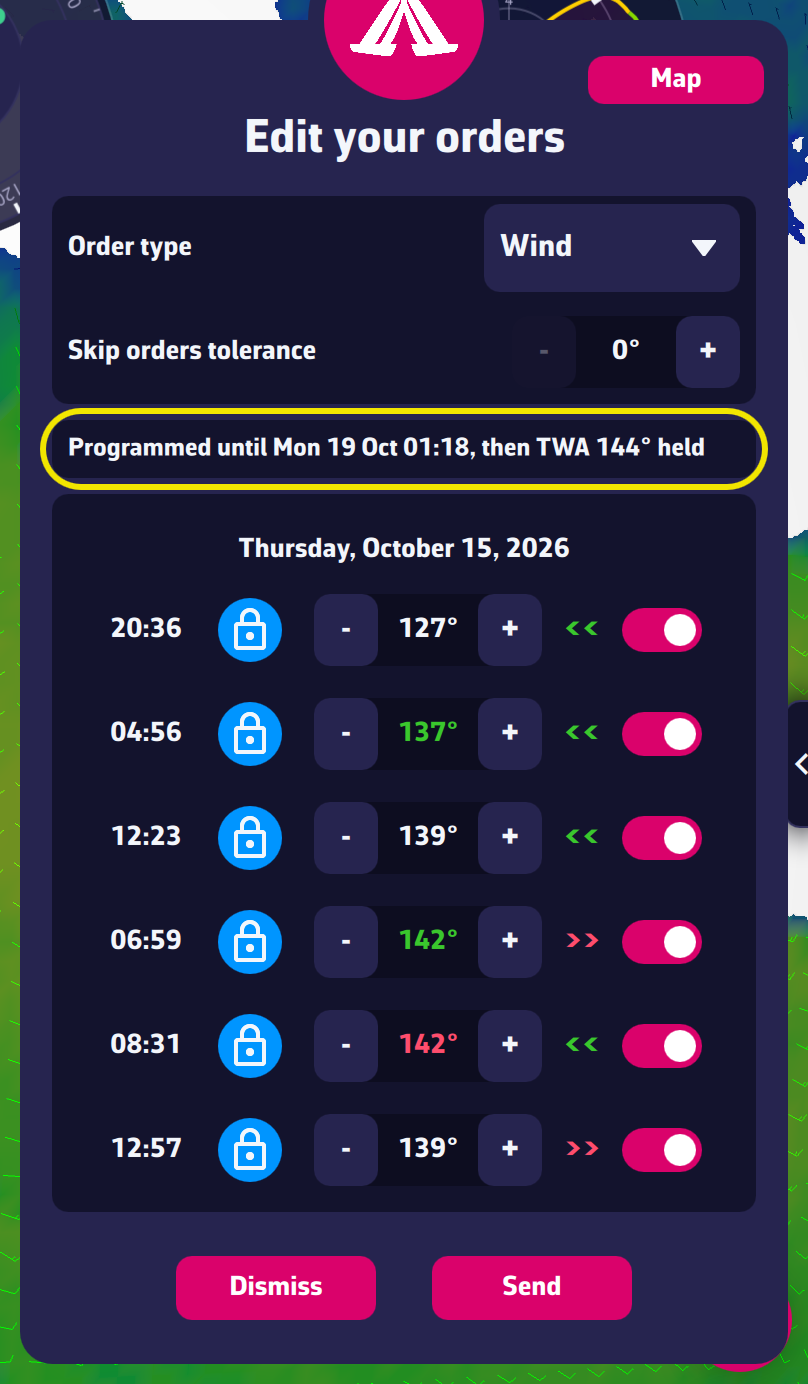 The complete order editor
Going further
The preview on the map. At each change, the editor computes the route the boat would follow with the orders as they would leave, and draws it on the map (the white dotted line). It recomputes after every edit and every minute, because the orders leave later as time goes by.
The “Map” button. At the top right of the window, it folds the editor into a banner at the bottom of the screen to free the map, framed on the orders. The banner shows the summary and the buttons “Dismiss”, “Orders” (to reopen the editor) and “Send”.
Moving the window. Drag it by its top.
The sail plan. When the polished routing holds one sail across several sail changes, a box lists the times: “…: turn the auto sails off, set …”, “…: set …”, “…: turn the auto sails back on”. VR cannot program a sail change: you do it yourself at those times. See Reading an order row.
Warning near land. In “Wind” or “Compass” type, if the orders take the boat close to the coast, a warning icon appears at the left of the selector: “Your boat will sail close to land and your order type is Wind, that seems dangerous. Consider switching Order type to Auto or Waypoints.” (same message for “Compass”).
Checks before sending. See Checks before sending.
Orders or waypoints, not both. The game takes either orders or waypoints. In “Manual” mode, switching from one to the other removes the points already placed, after confirmation (see Manual mode).