Order types: Auto, Wind, Compass, Waypoints, Manual
ExpertThe essentials
The “Order type” selector of the editor offers five types.
- “Wind”: the order gives a constant wind angle (TWA) between two orders. In VR, the padlock is closed. This is the type to favor offshore.
- “Compass”: the order gives a constant heading between two orders. In VR, the padlock is open. Useful offshore in light and variable winds.
- “Waypoints”: the boat goes from point to point, using their coordinates. This is the type to favor near the coast.
- “Auto”: eSail4VR chooses for you, depending on the route.
- “Manual”: you draw the orders or waypoints yourself on the map (see Manual mode).
The editor’s choice is remembered from one use to the next, except “Manual”. Without Expert mode, sending always uses “Auto”.
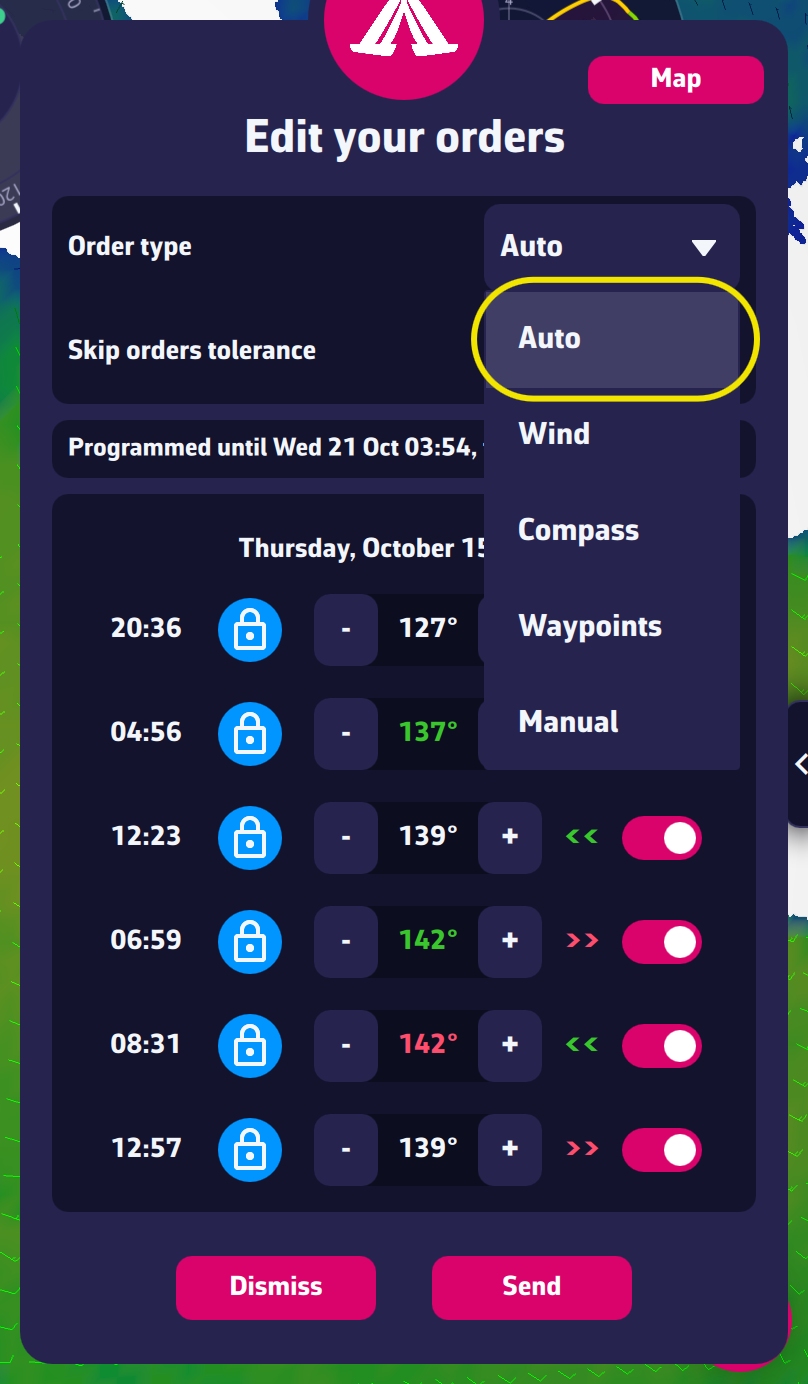 The Order type selector
Going further
How “Auto” chooses. The editor looks at the first 10 hours of the route.
- If, over that period, the boat passes closer to land than the distance it sails in one calculation step (for a polished route, half an hour of sailing at the top speed of the route), it chooses “Waypoints”.
- Otherwise, with a polished route (the normal case), it sends the routing’s orders as they are: a constant wind angle where the routing holds a wind angle, a constant heading elsewhere. In the list, each row therefore has its own padlock.
- Otherwise (unpolished route), if the wind is below 5 knots somewhere, it chooses the heading, or a mix of both; if it is stronger, the wind.
Why “Mixed” is gone. The former “Mixed” type no longer exists in the list; “Auto” took its role.
Choosing “Wind” or “Compass” near land. These types send a constant angle or heading between two orders: near a coast, the gap with the polished route can lead ashore. The editor flags it with a warning icon and refuses to send if the boat would be stopped within the next 12 hours (see Checks before sending).
Waypoints. Each row is numbered “WP1”, “WP2”… with its coordinates in the format chosen in the settings. Sending removes the first waypoints the boat will already have passed when the orders take effect: otherwise it would turn back for them. The game numbers waypoints: the application continues after the last number already used.