The course, the gates and the race zones
BeginnerThe essentials
When a race is open, the map draws what Virtual Regatta defines for it:
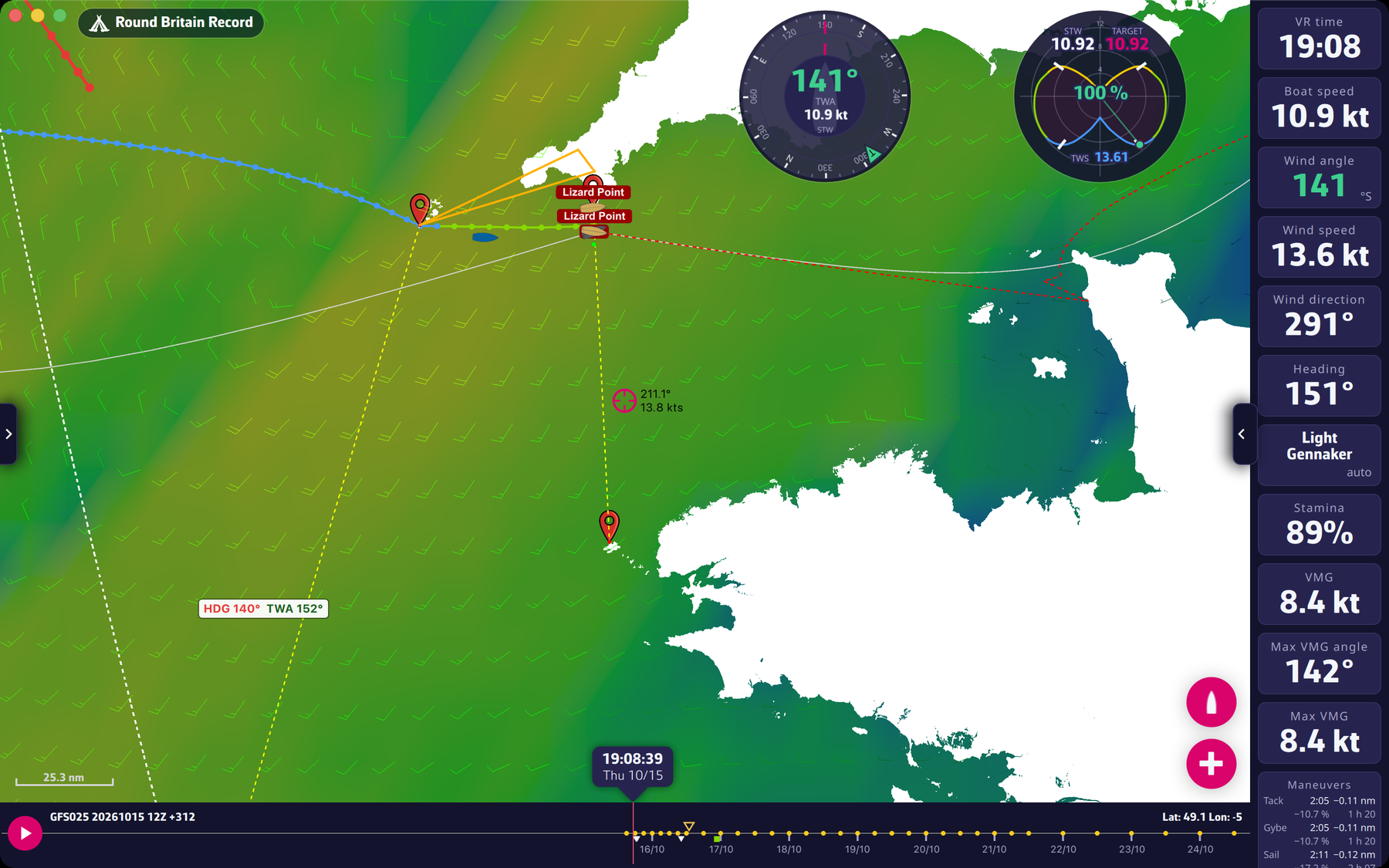 The course, a gate and an exclusion zone on the map
- The course: a light grey line joining the course points, marked by small blue markers. The name of the start and of the finish are written on the map at their positions. Around the finish, a circle shows the finish area.
- The gates: two red markers joined by a yellow dashed line. The boat must pass between the two.
- The ice limits: the very light grey-blue, almost white, outlines of the ice areas (north and south limits) that must not be crossed.
- The exclusion zones: the race’s exclusion zones, edged in red.
- Your zones: the ones you draw yourself in the “Zones” tab of the left panel, edged in orange; the zone being drawn is edged in white.
- Your targets: a name placed on the map at each saved target.
Going further
Gates and buoys. The app only draws the waypoints the game counts (flagged “engine” in the course data). Each gate is drawn as a yellow dashed segment between two red markers; a gate follows the straight line of the chart (rhumb line) when VR says so.
Constraints in the routing. The calculation avoids land, the ice limits, the race zones and your zones, as long as the “Avoid VR and own zones” option is ticked (Routing menu). The FAQ details the behaviour: Does the application take restricted zones into account? and the ice exclusion zones.
Follow the course. In Expert mode, the “Follow the course” option of the “Routing to target” window (off by default) makes the routing go through the remaining course points, in order, up to the finish. Without it, the routing goes from the boat to the target by the fastest path, wherever the boat can sail. See Expert mode.
Zones. Drawing, naming and enabling your own zones is explained in Zones.