The fleet and followed boats
BeginnerThe essentials
The “Fleet” tab of the left panel lists the boats that Virtual Regatta sends the app for your account.
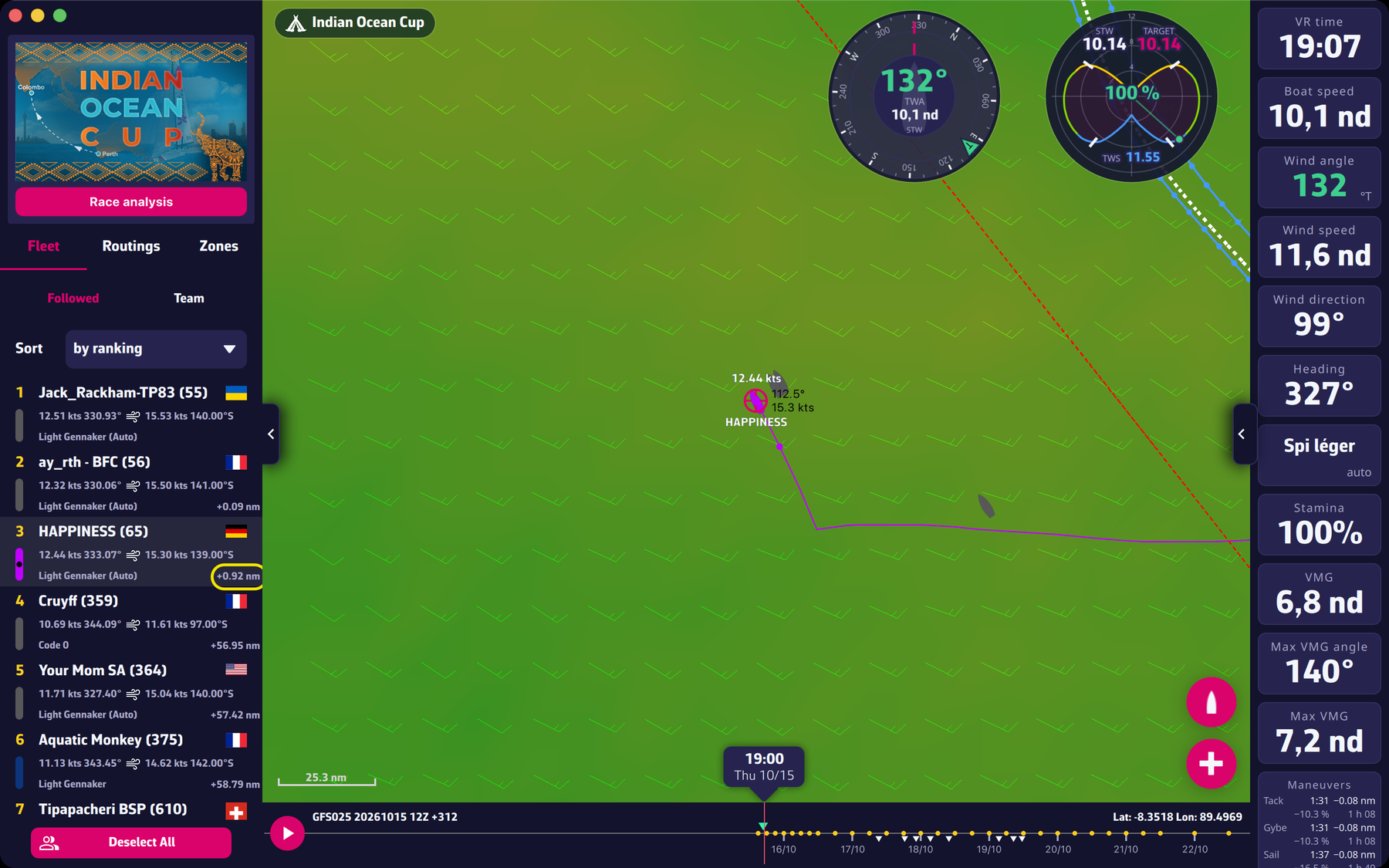 The Fleet tab with a competitor selected
- Choose the list: “Followed” (the players you follow in VR, your boat included) or “Team” (your team).
- Choose the sorting with “Sort”: “by ranking”, “by speed” (fastest first), “by name” or “by sail”.
- Read a row: order number, name and rank in brackets, flag, speed and heading, wind (strength and angle with “°P” or “°S”), sail, and, on the right, the gap behind the best of the list in nautical miles ("+3.42 nm"). Your own name is in the accent colour. The coloured bar on the left repeats the colour of the boat on the map.
- Tap a row: the map centres on that boat, which becomes selected (black dot in the coloured bar), with its name, speed and track on the map. Tap again to deselect.
- “Deselect All” removes every selection at once.
Going further
Where the list comes from. The app shows all the followed players and teammates that VR sends it. To change this list, go through Virtual Regatta. If a followed boat is missing, the possible causes (device clock, connection, race) are in the FAQ: Why can’t I see my followed competitors displayed?.
The ranking. The rank and the gap in nautical miles come from VR and are requested after each fleet update. Until they are received, the rank is not shown.
Memory. The selection of a boat is kept from one launch to the next. The “Followed” or “Team” choice is too.
Calculating a competitor’s routing. See Competitors’ positions on the map.