Creating a target
BeginnerThe essentials
A target is the point the routing looks for the fastest path to. It is placed at the center of the map, where the aiming symbol sits.
- Move the map until the aiming symbol is where you want it.
- Press the red “+” button at the bottom right of the map.
- If you have no target yet for this leg, the application asks “Please enter the name of target” (field “name of target”). Confirm with “Ok”: the target is saved and the routing starts right away.
- Otherwise, the “Routing to target” window opens. “Add a target” creates a new target at the center of the map, after asking for its name.
- The round button with a “−” on the left of a target deletes it, after confirmation.
Targets belong to the current race and leg.
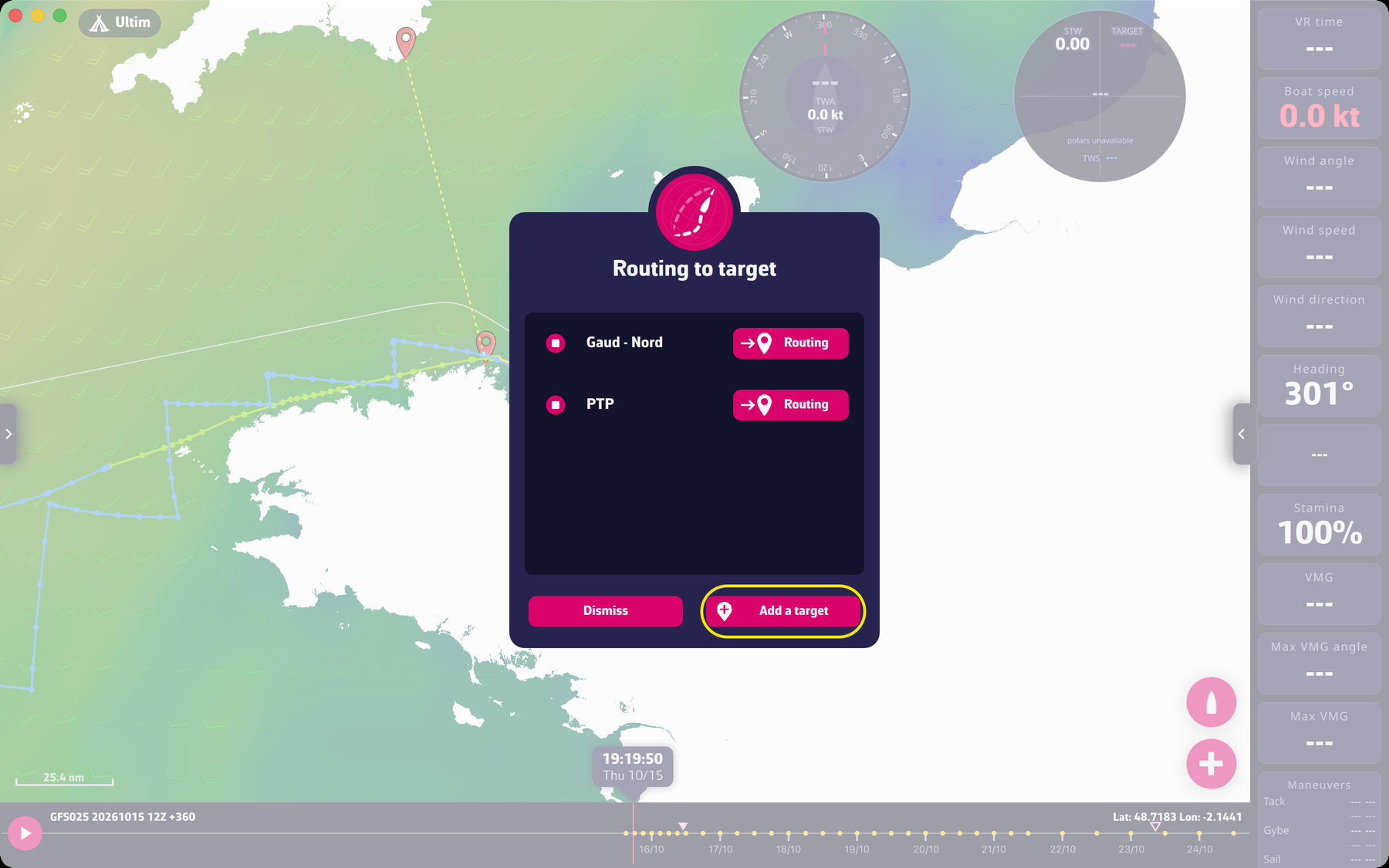 The “Routing to target” window with two targets
Going further
The color of the aiming symbol. It tells you whether the point is usable:
- red: open sea;
- dark blue: on land;
- green: within one pixel of the coast;
- yellow: inside an exclusion zone;
- bluish white: inside the ice limit (ice exclusion zone).
Choosing the spot. A target should be as “visible” from the boat as possible, with as little land as possible between them: not just behind an island, a cape, or at the far end of a bay. For strategy on a given race, see the FAQ.
Refusals and messages. The application refuses or flags:
- “The routing target is on land. Please move your routing target at sea.”;
- a target too close to land, when the “Anti-grounding safety pixel” is on;
- a target inside a zone to avoid (“The routing target is inside a zone to avoid. Please move the target out of it, or move or switch off the zone.”);
- “The routing target is too close to the boat (less than one isochrone step, … min). Please move the target farther away.”
Adding or deleting targets. First place the center of the map, then “+” and “Add a target”. The “Add a target” button does not appear when you route another boat or start from a pivot point.
“Follow the course”. In Expert mode, the window offers the “Follow the course” switch: the routing then goes through the marks of the course up to the finish, and only the “Finish” line can be routed.