Routing a competitor
BeginnerThe essentials
You can compute the routing of a followed competitor to anticipate their route. This function needs a valid Premium subscription.
- Select the competitor: tap or click their boat on the map, or their row in the “Fleet” tab of the left pane. Their name appears on the map.
- Open the routing menu on that boat:
- on a touch screen (phone, tablet), a long press on the boat;
- with a mouse (computer), a right click on the boat.
- In “Routing to target”, press “Routing” next to the chosen target.
The routing starts from the competitor’s position, with the polar, the options and the state of your own boat, and appears in the “Routings” tab under their name.
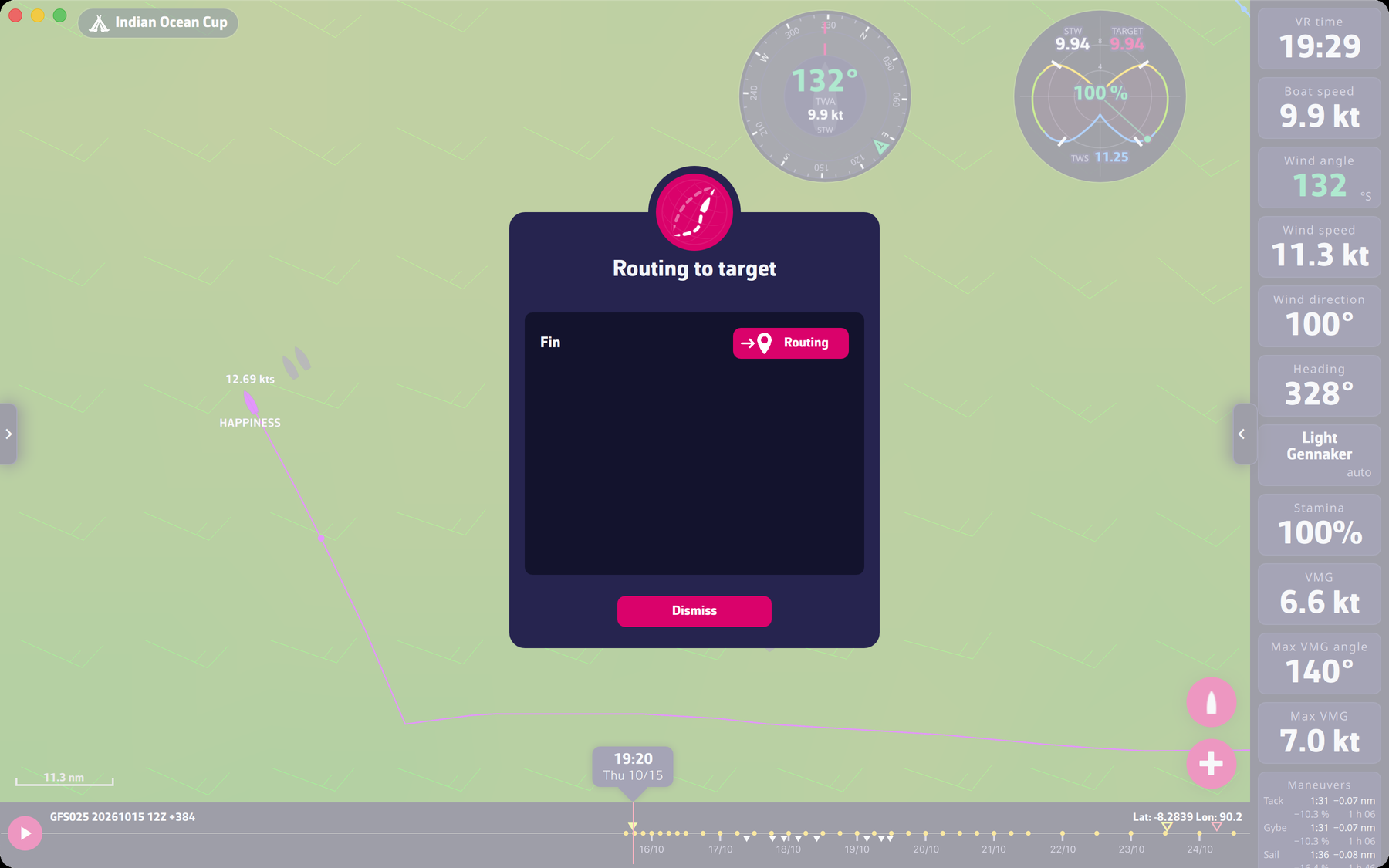 A selected competitor and the routing to target window
Going further
What differs from your own routing. The window does not offer “Add a target”: you choose among your existing targets. A competitor’s routing is not sent to VR: the send button exists only for your own routings.
Without a valid subscription. The long press or right click does nothing. See Premium subscription.
Following competitors. The competitors you follow are listed in the “Fleet” tab: see The race and the fleet.