Setting the routing display
BeginnerThe essentials
Two settings on the “Settings” > “Routing” page control what you see after a calculation.
- “Route wind barb density”: the share of wind barbs drawn along a routing, from 0% to 100%, in steps of 10%. 100% by default. At 0%, no barb is drawn along the route any more. The landmarks of the route (departure, arrival and tacks) always stay displayed.
- “Frame the first 24 h after routing”: checked by default. At the end of a calculation, the map frames the first 24 hours of the route and the timeline returns to the current time.
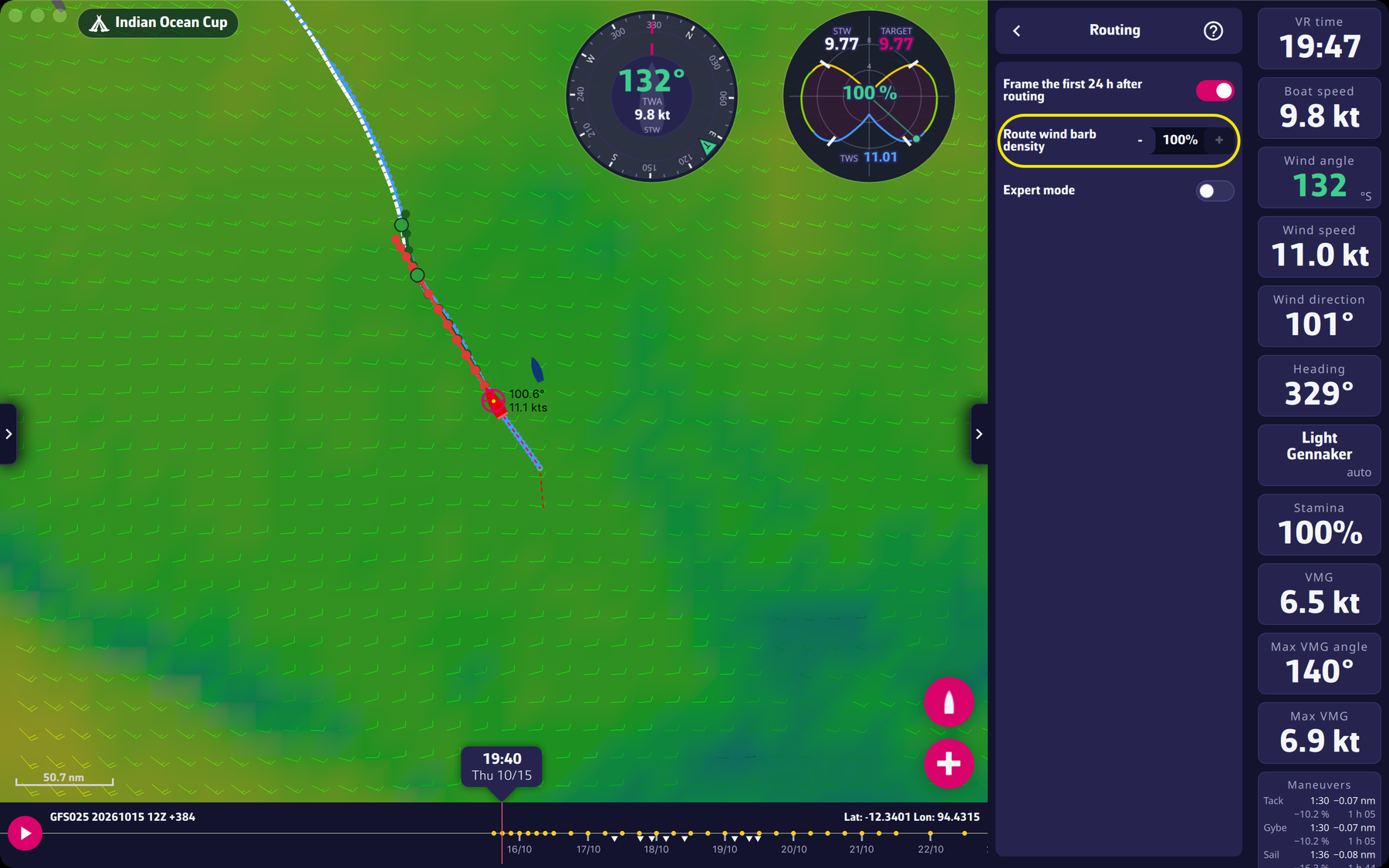 Settings > Routing: route barb density and framing of the first 24 hours
Going further
When to reduce the density. On a long route, or with several routings displayed, barbs clutter the map. Lower the setting to keep the route readable; the value applies at once to all routings.
Framing when orders are sent. The “Frame the first 24 h after routing” option also acts when you send the orders to VR: the map then frames the first 24 hours of the route VR will sail (the white dotted line), at the current time. If that route cannot be drawn, the map centers on the boat.
If framing is unchecked. The map stays where it is at the end of the calculation. The button with a boat, at the right of the map, recenters it on your boat.
The barbs of the map. For the wind barbs over the whole map, see Wind display.