The routing table and its abbreviations
BeginnerThe essentials
The routing table lists the route hour by hour. To open it, press the table button at the right of the routing row in the “Routings” tab. The “Routing table” window opens.
The columns:
- Time: the time of the row;
- TWS (True Wind Speed): the true wind speed, in knots;
- TWD (True Wind Direction): the true wind direction, in degrees (where it comes from);
- TWA (True Wind Angle): the angle between the boat and the true wind;
- SOG (Speed Over Ground): the boat speed;
- COG (Course Over Ground): the boat heading;
- Stamina: the skipper’s energy;
- Sail: the sail in use.
The “Download GPX” button (computer) or “Export GPX” button (phone, tablet) saves the route in GPX format; the application confirms the file is in your download folder. “Dismiss” closes the window.
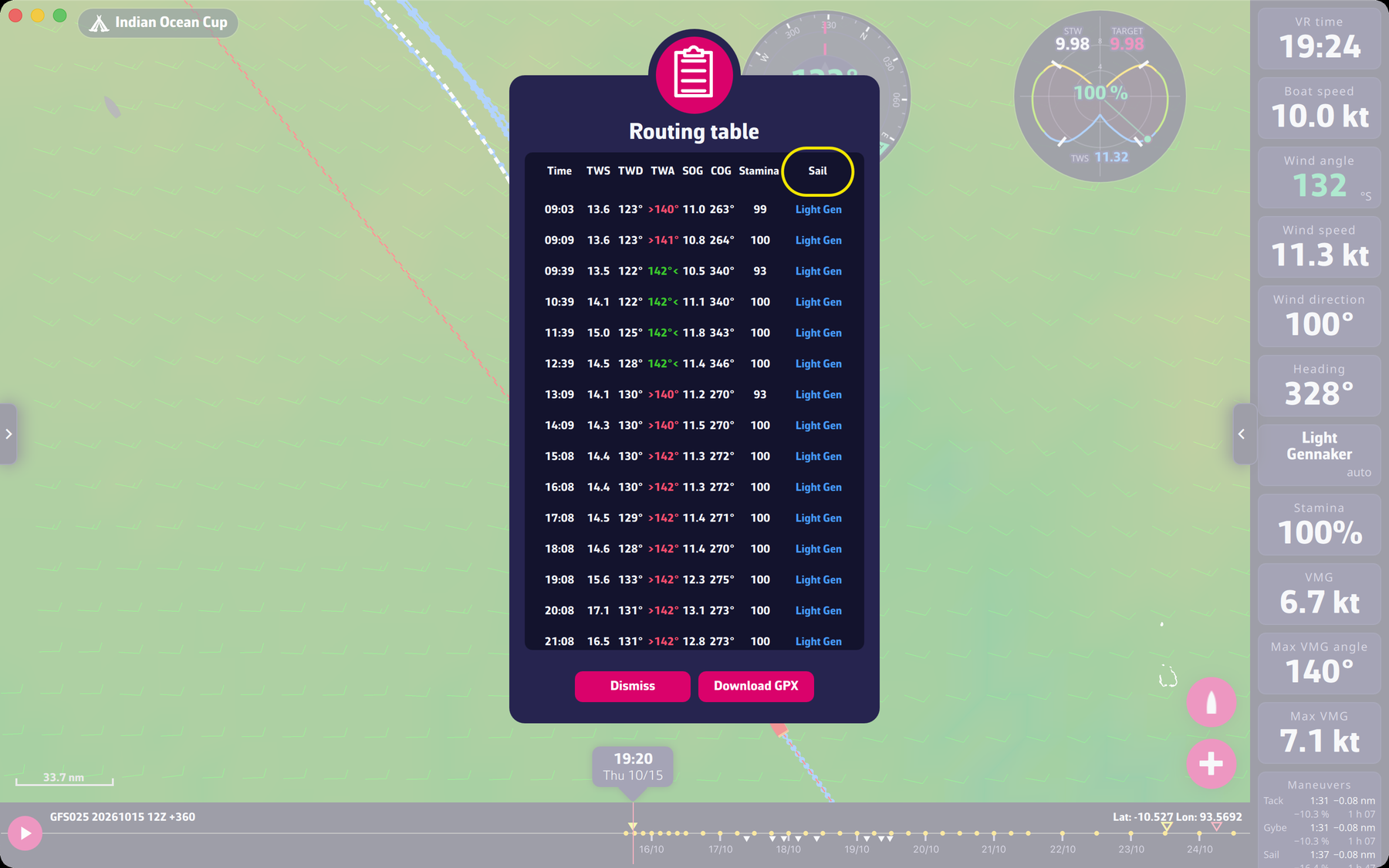 The routing table
Going further
The TWA. It is shown with the side the wind comes from: in green, with a “<” after the number, the boat is on starboard tack; in red, with a “>” before the number, it is on port tack. A color change therefore means a tack or a gybe.
The rows. A row appears at each change of order, and at most one per hour between two changes. When the day changes, the date is shown as a separator.
The “Sail” column. Each sail has its own color: “Jib”, “Spi”, “Staysail”, “Light Jib”, “Code 0”, “Heavy Gen”, “Light Gen”. An asterisk after the name, for example “Code 0*”, flags the boost effect (see The boost effect). The note “by hand” under the sail means the routing asks you to hold this sail yourself, with auto sails off (see Reading an order row).
Stamina. It is the skipper’s energy, which drops with each maneuver and builds back up with time. See Maneuver penalties.
On Android. If columns are cut off, reduce the font size in Android’s settings (FAQ advice).