Running a routing
BeginnerThe essentials
A routing computes the fastest route from the boat’s current position to the target, with the weather forecast and your boat’s polar.
- Wait until you have received the boat position from VR.
- Press the red “+” button (bottom right of the map). See Creating a target.
- In “Routing to target”, press “Routing” next to the target you chose.
- During the calculation, a “Cancel routing” button appears at the top of the map. Under it, a pill names the current stage: “Preparing the routing”, “Calculation in progress”, then “Polishing the optimal route”.
- At the end, a message says how the calculation ended (for example “Reached destination”) and the route appears on the map.
The “+” button is greyed out during the calculation.
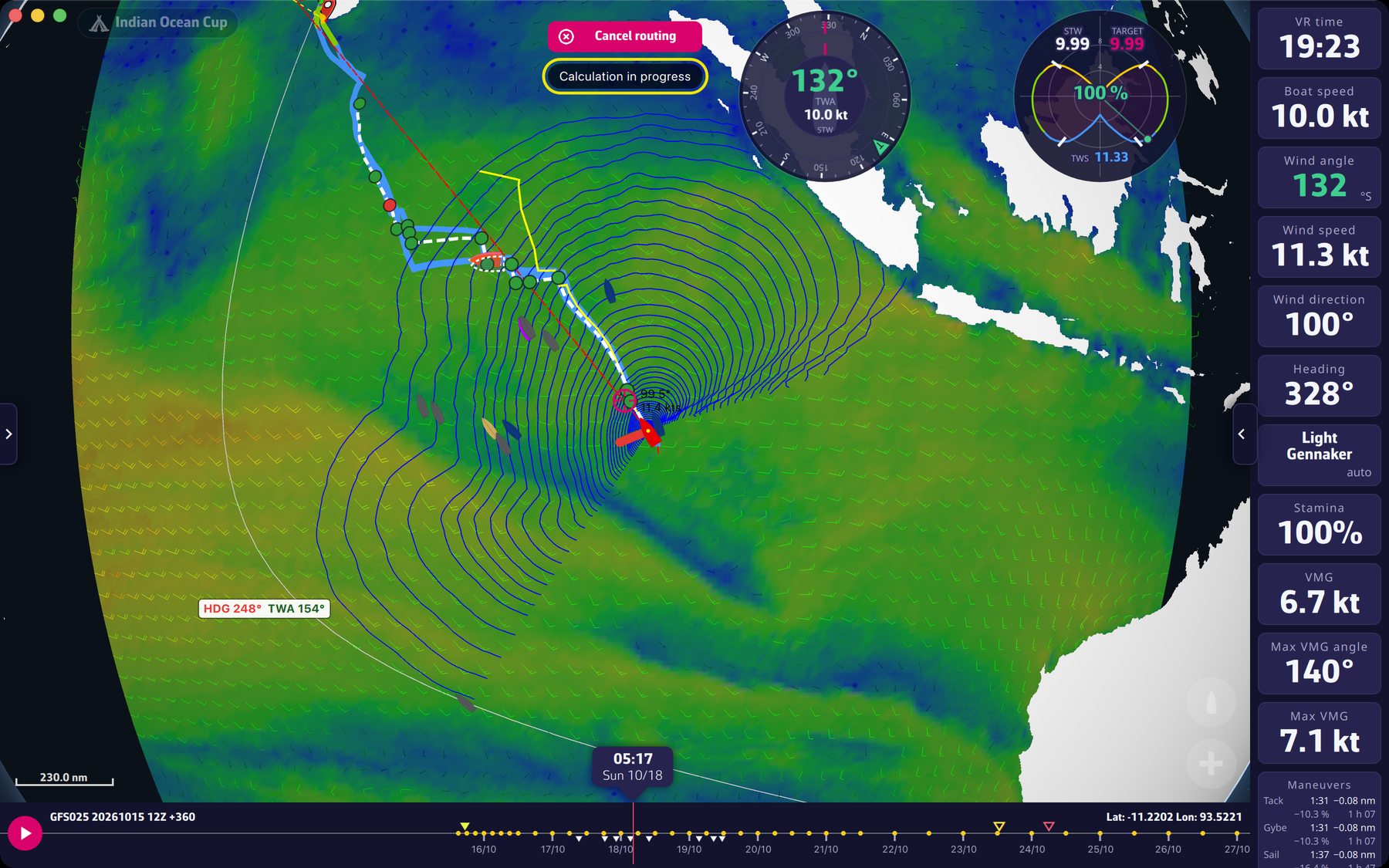 Calculation in progress: Cancel routing button and stage pill
Going further
The three stages. “Preparing” gathers the boat position, the polar and the weather (the application updates the forecast if a new one is out). “Calculation” extends the isochrones, the lines the boat can reach in the same amount of time. “Polishing” then refines the best route found. During the calculation, the camera follows the spread of the routing.
Boat position too old. The calculation does not start if the last position received from VR is more than 10 minutes old (“Please, wait for a position refresh before making a routing calculation”) or if it is 0°:0° (“It looks like you have not received the boat position from VR yet”).
End and failure messages.
- “Reached destination”: the calculation reached the target.
- “The routing stopped at its maximum duration (… d) without reaching the target. You can increase it in the Routing menu.”: the maximum duration is 15 days by default; it is set in Expert mode.
- “The routing stopped at the end of the weather forecast without reaching the target.”
- “Routing impossible as it starts after the end of the weather forecast”.
- “The routing stopped because the boat no longer gets closer to the target. The route shown goes as far as it could.”
- “The routing could not reach the target: no valid path is left. The boat may be enclosed by land, ice limits or exclusion zones.”
- “The routing failed as your boat is grounded. Please refloat your boat in VR and then come back to eSail4VR”.
- A boat too close to the coast, or a target inside a zone or too close to land: see Creating a target.
Zones not avoided. If the option “Avoid VR and own zones” is unchecked, a warning is added to the end message: “Zones are not avoided: the option “Avoid VR and own zones” is unchecked in the Routing menu.” See Zones.
Stopping a calculation. “Cancel routing” interrupts the calculation in progress.
Record start. If the boat has not started a record yet, a window asks for the start time: see Deferred start for a record.
After the calculation. If “Frame the first 24 h after routing” is checked, the map frames the first 24 hours of the route and the timeline returns to the current time: see Setting the routing display.