The race pill and the map buttons
BeginnerThe essentials
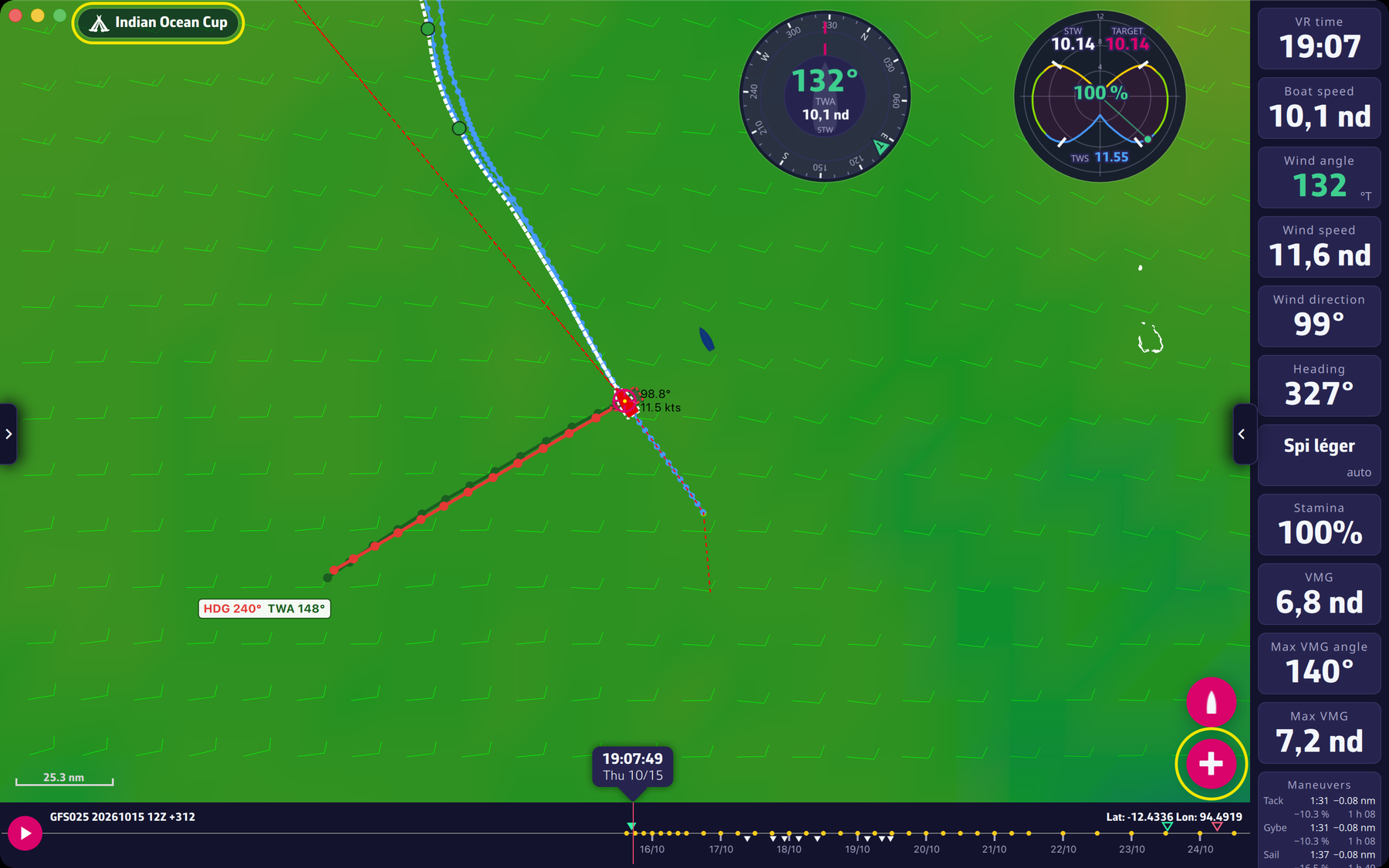
The race pill. At the top left of the map, a dark rounded pill shows the race icon and the name of the open race. Tapping it reopens the race selector (see Choosing your race). It only appears once a race is loaded, and it is disabled while a routing is being calculated.
The buttons on the right of the map, from bottom to top:
 The buttons on the right of the map
- The red “+” button starts a routing from your boat’s position to a target (see Your first routing). It is greyed out during a calculation.
- The boat button recentres the map on your boat, with an animation. It is also greyed out during a calculation.
- The sight button, on touch screens only: it shows a cross at the centre of the map. The lines from the boat and the next leg of Manual mode then aim at the centre, which you move by dragging the map.
Going further
The “+” depending on context.
- A record-type race whose boat has not left yet: the button first opens the choice of the routing start time.
- A boat position that is too old (more than 10 minutes) or missing blocks the calculation with a message.
- On a touch screen, if a point of an existing routing is picked, the button starts a “pivot” routing from that point (see Expert mode); otherwise it starts from the boat.
The “Add point” button. In the order editor, in Manual mode with the sight, this button appears under the cross and adds the aimed point to the route (see Orders).
The subscription button. Above the other buttons, at the top right, a button with a cart icon shows as long as the Premium subscription is not valid; it opens the subscription window.
The stages of a calculation. During a routing, a “Cancel routing” button shows at the top centre of the map, with a dark label under it giving the current stage: “Preparing the routing”, “Calculation in progress”, “Polishing the optimal route”.