The settings panel
BeginnerThe essentials
The tab on the right edge of the screen opens and closes the settings panel. It always opens on its first page, titled “Settings”, which lists:
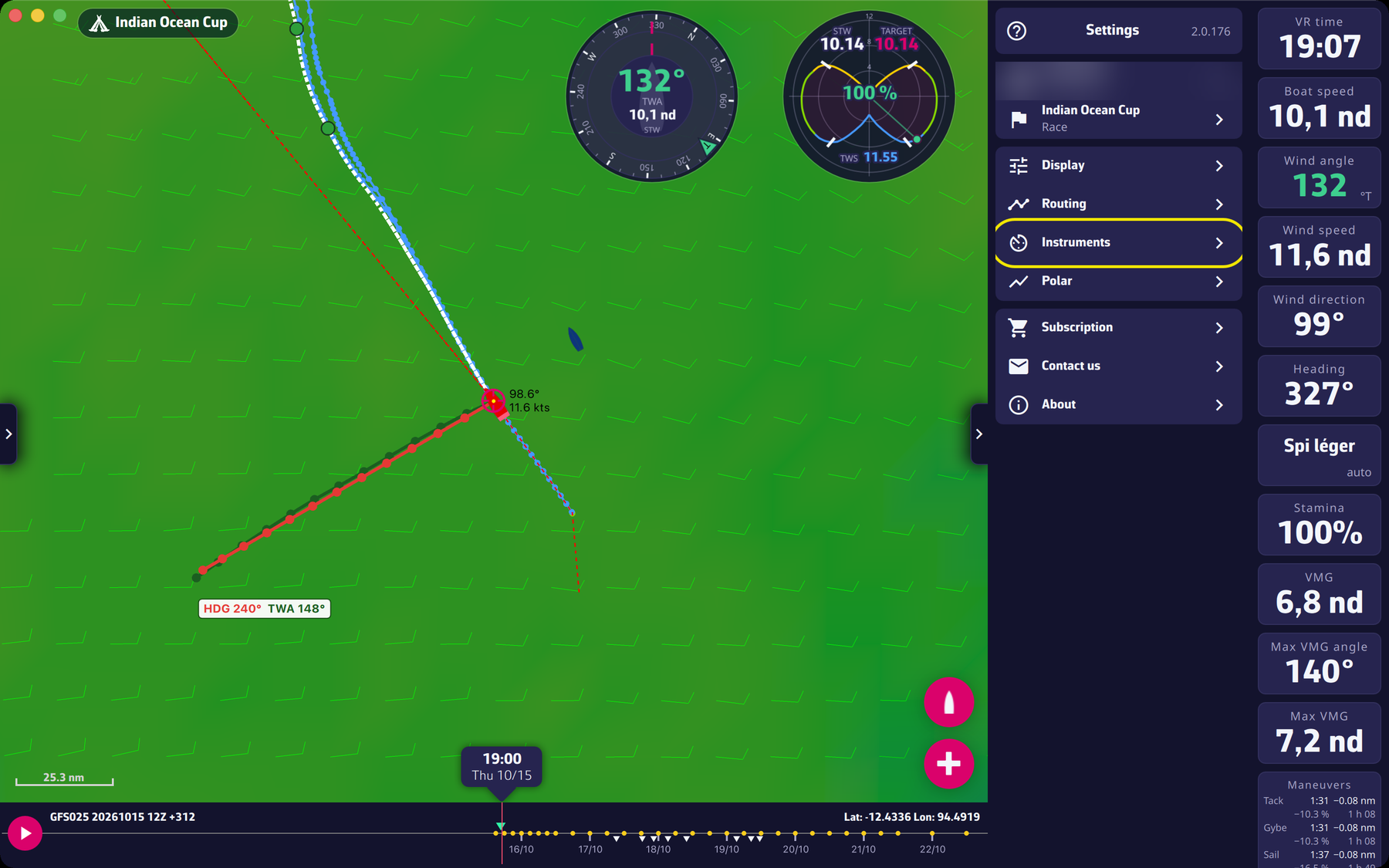 The first page of the settings panel
- your account (your player name, with “Account” or “VIP account”): opens the login window to switch account;
- the race (the name of the open race, with “Race”): opens the race selector;
- “Display”: theme, starry sky, wind particles, boat projection lines;
- “Routing”: the calculation settings;
- “Instruments”: the window to add instruments (see The instruments);
- “Polar”: the boat polar, as a curve or a table;
- “Subscription”: the Premium subscription window;
- “Contact us” and “About”.
An arrow to the left of the title returns to the first page from a sub-page; on the first page, the help icon in the same place opens the website FAQ.
Going further
The “Display” page.
- “Theme”: “Light”, “Dark” or “Night”.
- “Starry sky”: stars, Sun, Moon and planets around the globe, when you zoom out.
- “GPU wind particles”: wind animation computed by the graphics card.
- “Constant heading line”: where the boat is in 12 h if it keeps its heading.
- “Constant TWA line”: where the boat is in 12 h if it keeps its wind angle. The TWA is the angle between the boat’s heading and the direction the wind comes from.
- “Line under the pointer” (computer): “TWA” or “Heading”, depending on the line that goes through the pointer.
- Below, the other display settings (see Settings).
The “Routing” page. The calculation parameters. The Expert mode switch is there; it is reserved for Premium subscribers (see Expert mode).
The “Contact us” page. On a computer, “Method” offers “Mail” or “Gmail”. “Send a mail to support” prepares a message; the log file of the application is sent to our support server and your mail carries its reference: nothing to attach. See the FAQ How can we get in touch with you?.
The “About” page. “Version N” (the number shows in red when an update exists), “View version history”, “Visit our website”, “Frequently asked questions”, “Read the blog”, “Join our Facebook group”, “Privacy policy”, “Terms of use” and, on mobile with a store, “Rate eSail4VR”.
During a calculation. The account, race, display, routing and subscription rows are disabled while a routing is running.
Width. The panel is 272 points wide at most; in a narrow window it covers the map and closes the left panel.