Display, language and coordinates
BeginnerThe essentials
Settings > “Display” gathers everything that changes the look of the map and of the app. From top to bottom:
| Setting | Choices | Effect |
|---|---|---|
| “Theme” | Light, Dark, Night | “Night” is red on black, to keep night vision; the map is dimmed too |
| “Starry sky” | switch | stars, Sun, Moon and planets around the globe, once the Earth no longer fills the view |
| “GPU wind particles” | switch | “Computed by the graphics card” |
| “Constant heading line” | switch | “Where the boat is in 12 h if it keeps its heading” |
| “Constant TWA line” | switch | “Where the boat is in 12 h if it keeps its wind angle” |
| “Line under the pointer” | TWA or Heading | computer only: which line goes through the pointer |
| “Language” | English, French | language of the app |
| “Coordinates” | D.d°, D°M.m’, D°M’S.s' | format of the position shown under the map |
| “Wind mode” | Barbs, Particles | wind barbs or animated particles |
| “Particle density” | 10 to 400 % | number of particles (default 100 %) |
| “Display Scale” | 10 to 500 % | size of the map on screen (default 100 %) |
| “Wind gradient color” | switch | background colour by wind strength |
| “Reload weather forecast” | button | reloads the GRIB |
| “Show followed boats” | switch | shows or hides the players you follow on the map |
| “eSail4VR cloud” | switch | saving in the cloud (Premium) |
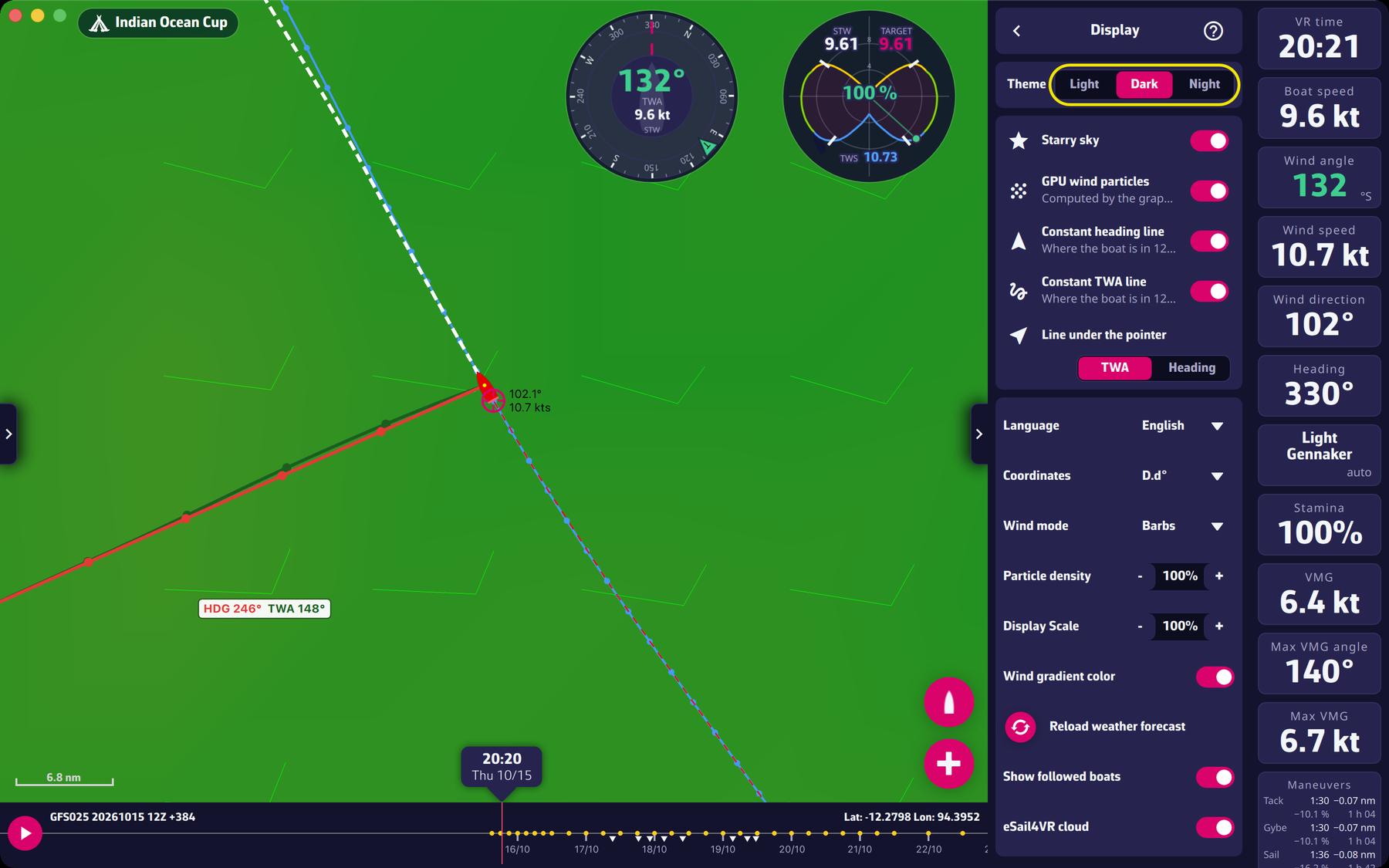 The “Display” page of the settings drawer
Going further
Theme. The theme is set at the top of the page; it follows the choice at once. The three themes apply to the whole interface.
The boat lines. The two lines project the boat’s position 12 hours ahead, if it keeps its heading (“Constant heading line”) or keeps its wind angle, the TWA (“Constant TWA line”). They are off by default. They switch themselves on, once, when the app finds a Premium account; you can then switch them off. On a computer, the lines follow the pointer: “Line under the pointer” chooses whether the TWA line or the heading line goes through it. A small label next to the pointer then gives the heading and TWA aimed at.
The three projection settings. “Constant heading line” (red curve) and “Constant TWA line” (dark green curve) each switch on a curve that starts from the boat and shows its position over the next 12 hours. “Line under the pointer” (“TWA” or “Heading”, computer only) chooses which of the two passes exactly under the pointer. To read them and turn them into an order: Reading the constant TWA and constant heading curves and Sending a manual order from the curves.
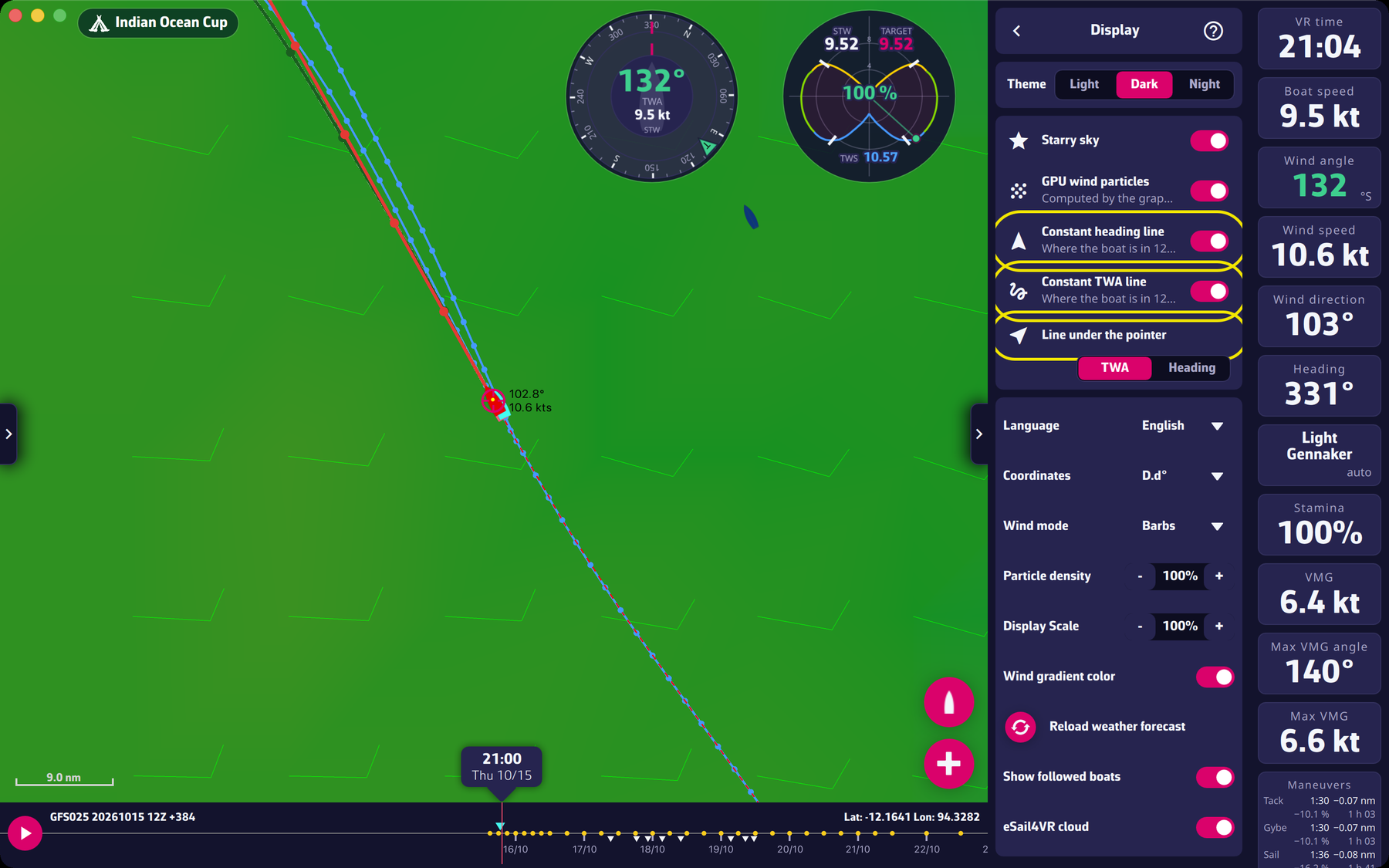 The three projection settings on the “Display” page
Wind particles. “Wind mode” chooses between barbs (the usual wind symbols) and animated particles. With “Particles”, “GPU wind particles” has the graphics card compute the motion instead of the processor; “Particle density” sets the number of particles, from 10 to 400 %.
Display scale. It enlarges or reduces what the map shows, from 10 to 500 %. Use it on a very large or very small screen.
Wind gradient. Turns on or off the map’s background colour that shows wind strength.
Coordinates. The format changes the displayed position at once. On a phone, it is shortened (without the words “Lat” and “Lon”).
Units. There is no speed-unit setting: speeds are shown in knots (“kts”). Only the coordinate format can be set.
Language. The app offers two languages, “English” and “French”. At first launch, it follows the system language (French if the system is in French, English otherwise).
“Reload weather forecast” forces the reload of the GRIB, the wind forecast file.
“eSail4VR cloud”. This switch is only active with a valid Premium subscription. On, your routings, your targets and your zones are saved in the cloud and picked up by your other devices.