Instruments and polar
BeginnerThe essentials
Two rows of the “Settings” page open windows rather than pages: “Instruments” and “Polar”.
Instruments. The “Instruments” row opens the “Add instrument” window: a grid of cards, each with a live preview of the instrument, fed by the boat’s real data. Tap a card, then choose where it goes:
- “Add to instrument bar”: the instrument lines up in the instrument bar (a column on the window edge in landscape, a band at the top in portrait);
- “Add to chart”: it floats above the map.
The available instruments: “Numeric value”, “Wind dial”, “Close-hauled dial”, “Speedometer”, “Polar performance” and “Maneuvers”. The “Reset” button puts the default instruments back, “Close” closes the window.
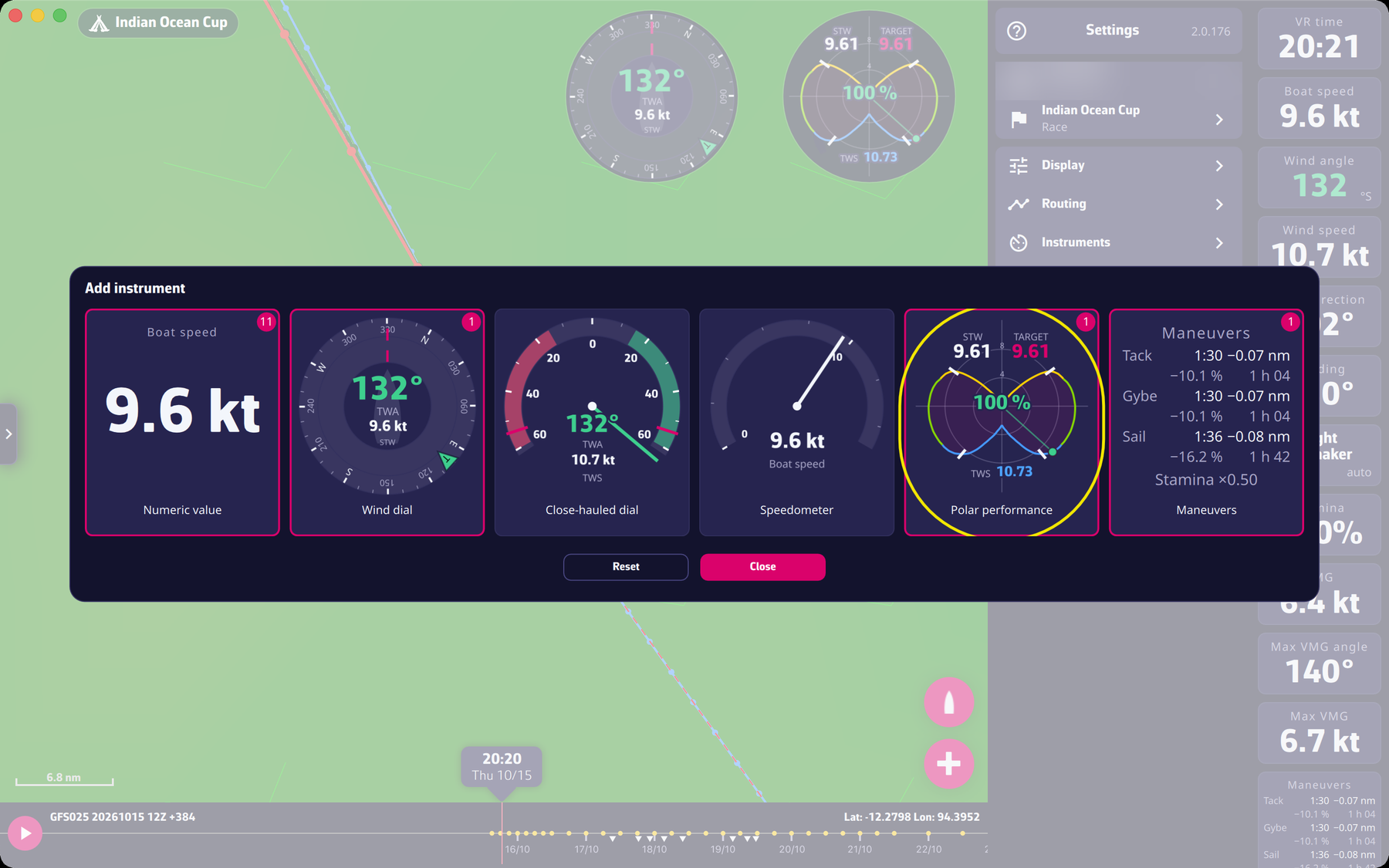 The “Add instrument” window
Polar. The “Polar” row opens the boat polar: the boat’s speed by angle and wind strength. The window offers a “Curve” view and a “Table” view (a two-position button at the top right). Set the wind (TWS, the true wind speed) and the angle (TWA, the angle of the true wind relative to the boat) with the sliders or by typing the value; “Now” puts them back to the boat’s current values.
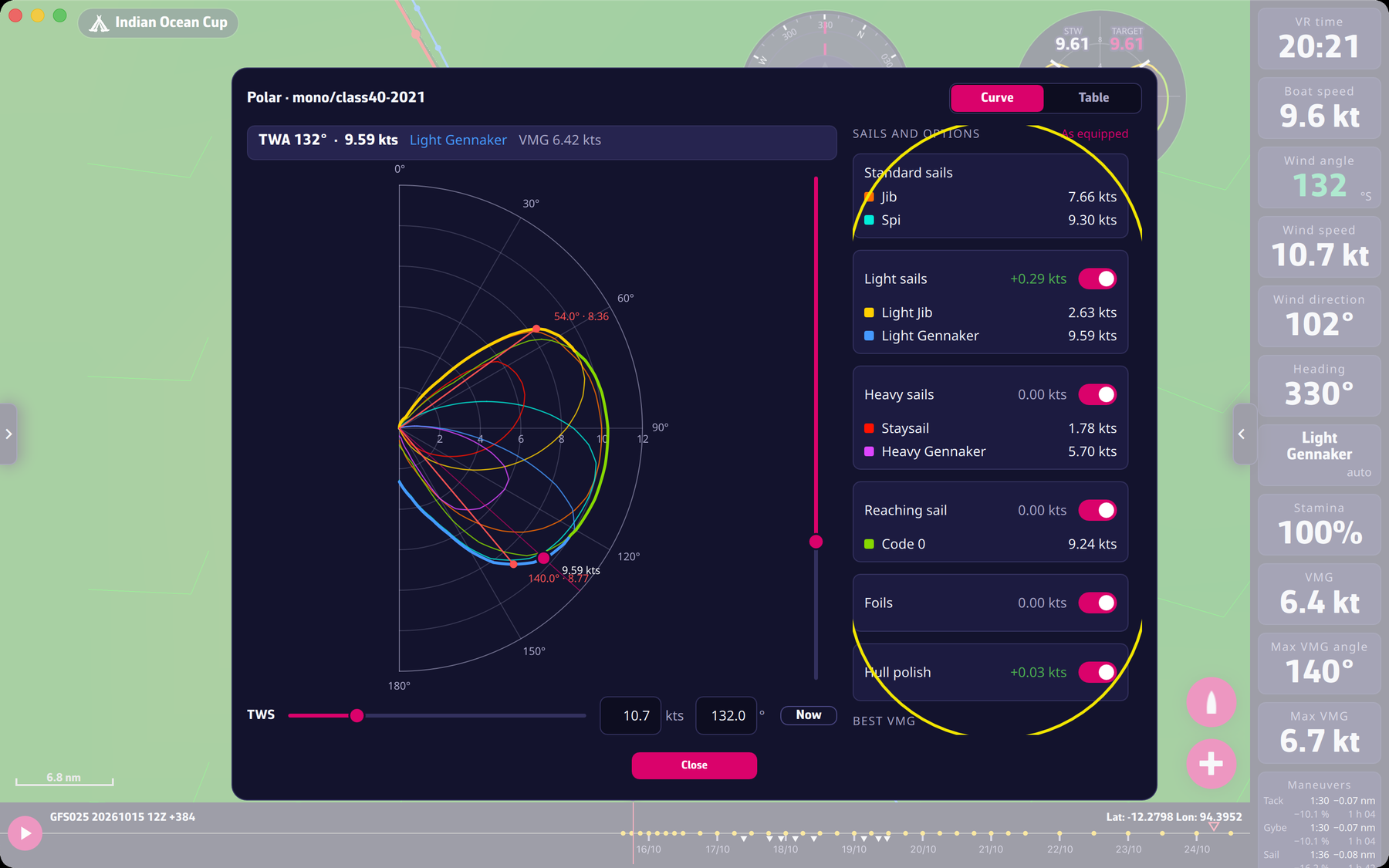 The boat polar
Going further
Setting an instrument. A right click (mouse) or a long press (touch) on an instrument opens its settings: “Displayed data” for a numeric value, “Square tile background” for a dial floating on the map, and the “Delete” (with confirmation) and “Close” buttons. A floating instrument is moved by dragging it, resized with the handle at its bottom right corner, and put into the bar by dropping it on the bar.
The data of a numeric value. VR time, Boat speed, Heading, Wind speed, Wind angle, Wind direction, VMG, Stamina, Sail, Max VMG angle, Max VMG, % of polar, Sail range and Stamina factor. VMG is the speed made good toward or away from the wind: the part of the speed that is useful for going upwind or downwind.
The polar in detail. It comes from Virtual Regatta. The “SAILS AND OPTIONS” panel shows what each option of the game would bring: “Standard sails” (always there), “Light sails”, “Heavy sails”, “Reaching sail”, “Foils” and “Hull polish”, depending on what the boat offers. You can switch them on or off to simulate another equipment; “As equipped” goes back to the boat as it is equipped. The “BEST VMG” panel gives the angle and speed of best VMG upwind and downwind. Click or drag on the diagram to read the speed at an angle. As long as the boat polar is not loaded, the window says so: “The polar of the boat is not loaded yet.”