The settings drawer
BeginnerThe essentials
The settings drawer is on the right edge of the screen. Tap or click the tab on the edge to open or close it. It always opens on its first page, titled “Settings”.
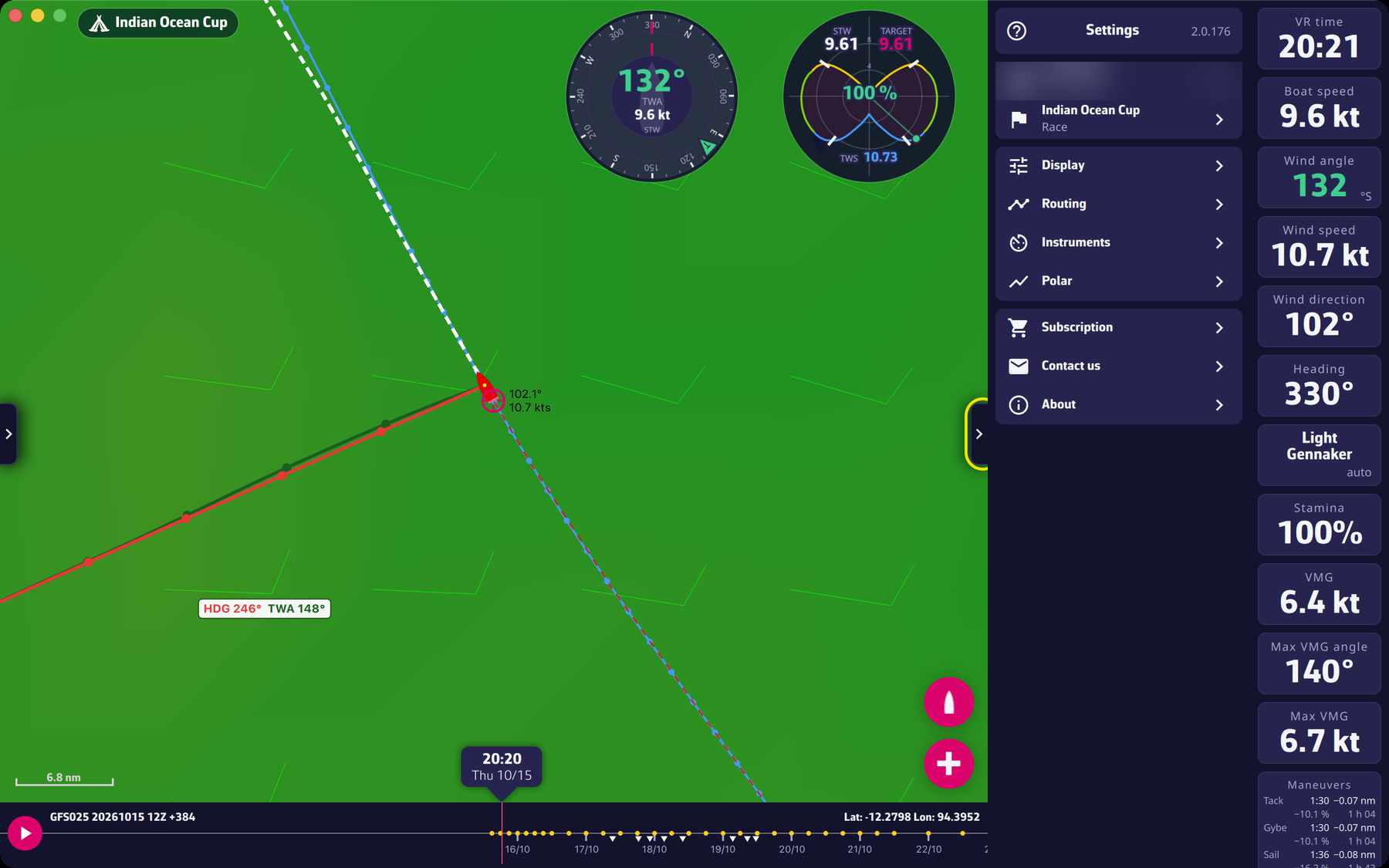 The settings drawer, “Settings” page
The “Settings” page is a list. At the top, the version number of the app (it turns red when an update is available), and a help icon on the left that opens the website FAQ. Then, from top to bottom:
| Row | What it opens |
|---|---|
| your player name (“Account” or “VIP account”) | the Virtual Regatta account sign-in window |
| the race name (“Race”) | the race selection window |
| “Display” | a drawer page: display, language, coordinates |
| “Routing” | a drawer page: routing settings |
| “Instruments” | the “Add instrument” window: instruments and polar |
| “Polar” | the boat polar window |
| “Subscription” | the subscription window: the Premium chapter |
| “Contact us” | a drawer page: write to support |
| “About” | a drawer page: version and links |
On the “Display”, “Routing”, “Contact us” and “About” pages, the arrow at the top left goes back to the list.
Going further
During a routing calculation, the rows for the account, the race, “Display”, “Routing” and “Subscription” are disabled: nothing should change under the calculation.
Contact us. On a computer, the page offers the “Method” choice between “Mail” (your mail application) and “Gmail” (Gmail in the browser); on a phone, the mail application is the only way. The “Send a mail to support” button opens the “Contact the support” window: describe what happened as precisely as possible (what you did, what you expected, what you got), then “Send”. The app’s log file is sent to our support server and your message carries its reference: there is nothing to attach. The message also states the version, the system, the player name and the race.
About. The name and version of the app, then buttons:
- “View version history”;
- “Visit our website”;
- “Frequently asked questions”;
- “Read the blog”;
- “Join our Facebook group”;
- “Privacy policy”;
- “Terms of use”;
- “Rate eSail4VR”, only on macOS, iOS and Android (where the app comes from an app store).
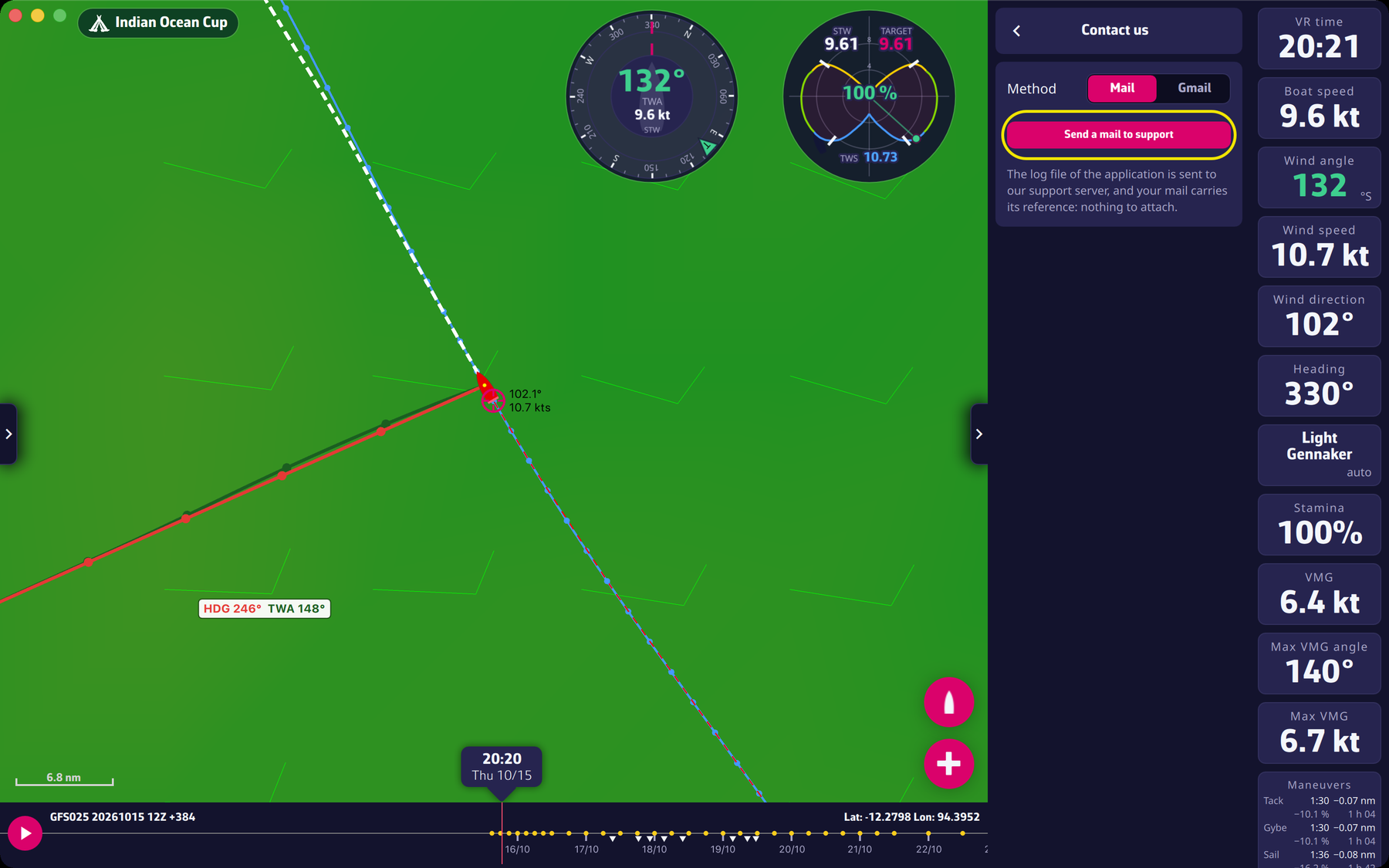 The “Contact us” page of the drawer