Position or data different from VR
BeginnerThe essentials
The boat data comes live from the Virtual Regatta servers, as for the game: it is the starting point of the routing calculation. Differences almost always come from the presentation, not from the data.
- The position. Set the coordinate format in the display settings, “Coordinates”, so that it is the same as in the game (decimal degrees, degrees and minutes, or degrees, minutes and seconds).
- The white lines of the course. They are indicative only and differ from those of the game: do not compare on them.
- Comparing. Touch the red “boat” button: the map centres on the boat. Touch the boat in both apps and read the coordinates. Compare the eSail4VR instruments with those of the game too. If the isochrones of a routing are displayed, hide them: the instruments then show the values of the routing.
- Nothing shows. Set the time of your device to “automatic”: a clock offset prevents up to date data.
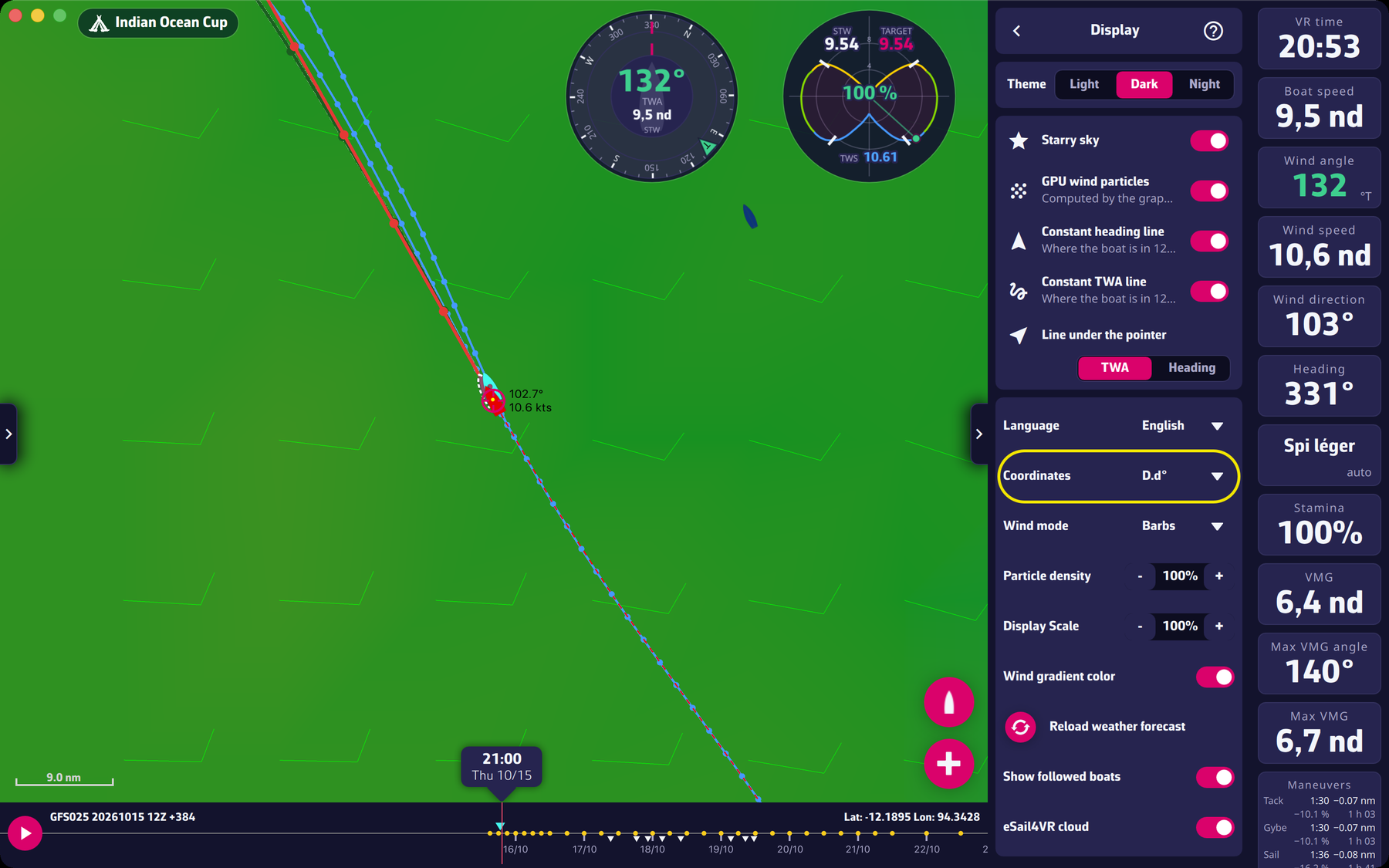 The Coordinates setting
Going further
- Rounding. The differences are small and come from rounding.
- Position too old. When the boat is moving and the last position is more than 10 minutes old, the app refuses to calculate a routing until the next refresh.
- Competitor boats missing. Check the “Show followed boats” setting (Settings > Display) and the list of followed players in the “Fleet” tab.
- The routing table is cut off on a small screen: reduce the font size of the device.