Avoiding zones in the routing
BeginnerThe essentials
By default, the routing goes around VR zones and your zones that are switched on: no leg of the routing crosses them. You have nothing to set. The ice limit is handled the same way as land.
Three consequences to know:
- A target inside a zone is refused. The routing does not start and shows: “The routing target is inside a zone to avoid. Please move the target out of it, or move or switch off the zone.”
- The order editor always checks the zones, whatever the calculation setting. If a leg of the orders crosses land, ice or a zone, sending is blocked: “Sending is blocked: a leg (…) crosses land, ice or an exclusion zone”. A warning of the same kind, “Warning: a leg (…) crosses land, ice or an exclusion zone”, can also appear.
- Send your orders in “Auto” or “Waypoints” mode near a zone. With the “Wind” or “Compass” types, the boat does not follow the calculated route and can enter the zone. See the orders chapter.
After sending, the message “Orders received by VR. The white dotted line is the route your boat will now sail with them, on the current forecast. Near land or an exclusion zone, zoom in to check it stays clear.” invites you to check the line by zooming in.
Going further
The “Avoid VR and own zones” setting. It is in Settings > Routing, but only visible in Expert mode, so with a Premium subscription. It is on by default, and one switch handles both families: VR zones and yours. Unticked, the routing calculation ignores all zones, and so does the final polishing. The setting does not apply to the ice limit.
When to untick? Zones sometimes form a slalom where the algorithm struggles to find the best route. The classic method is to run a routing without the zones first to see the ideal route, then a second one with the zones to finish the study, helped by pivot points or intermediate targets placed in the corners of the zones. A routing that ignores the zones can cross them: do not send its orders as they are.
The reminder after a routing. If the option is unticked, the routing’s information message is completed with “Zones are not avoided: the option “Avoid VR and own zones” is unchecked in the Routing menu.”
Orders are checked even when zones are “not avoided”. The order editor does not look at this setting: it always checks VR zones and your zones that are switched on. If the boat is already inside a zone, that zone is not held against its orders, so that it can get out.
A running routing keeps its zones. The zones it uses are frozen at launch. Adding, moving or switching off a zone during the calculation only counts for the next routing.
The safety pixel does not protect from zones. The anti-grounding safety pixel only applies to land, not to zones or to the ice limit.
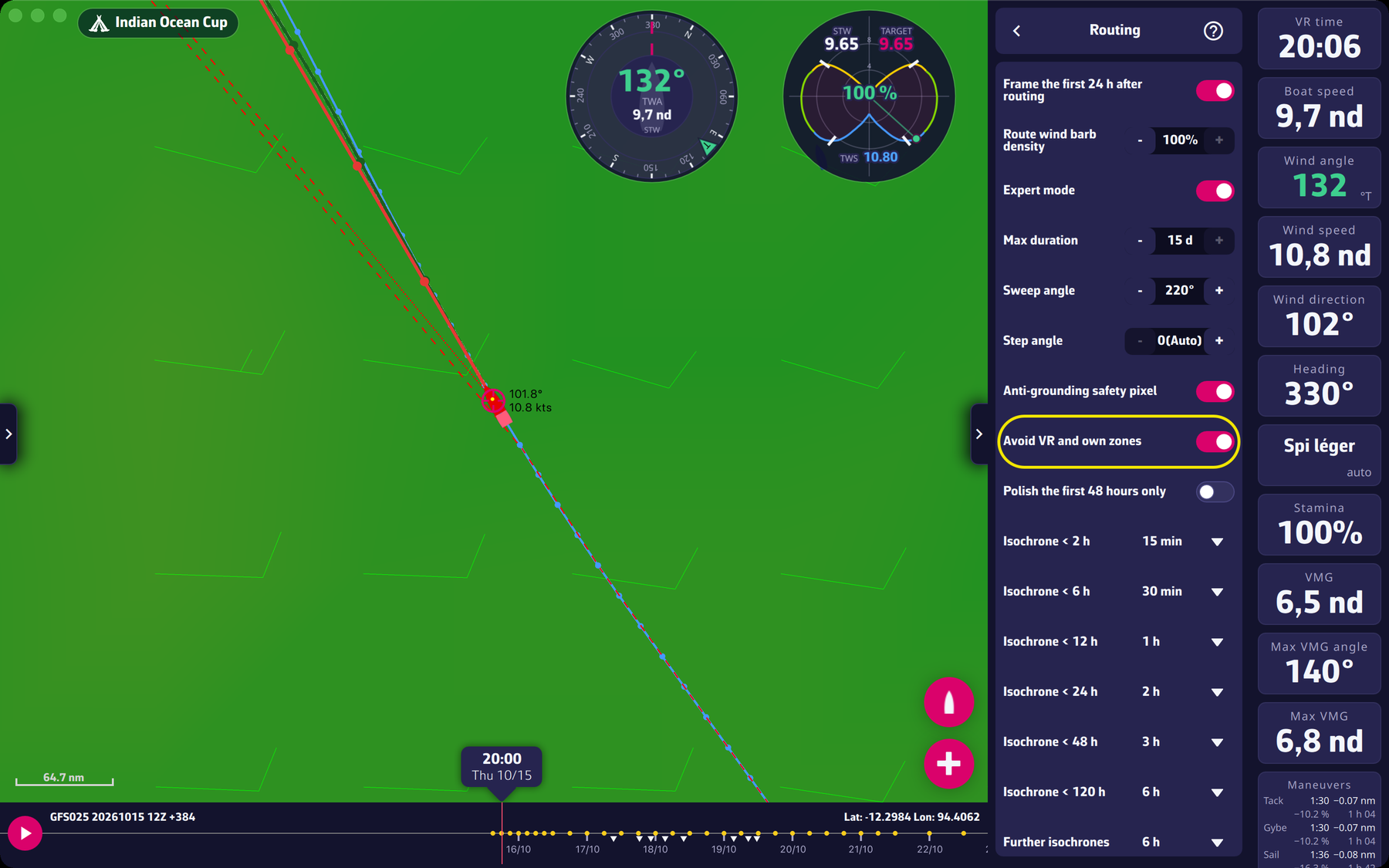 The “Avoid VR and own zones” setting in Settings > Routing